You can edit the subject for service requests by following the steps below,
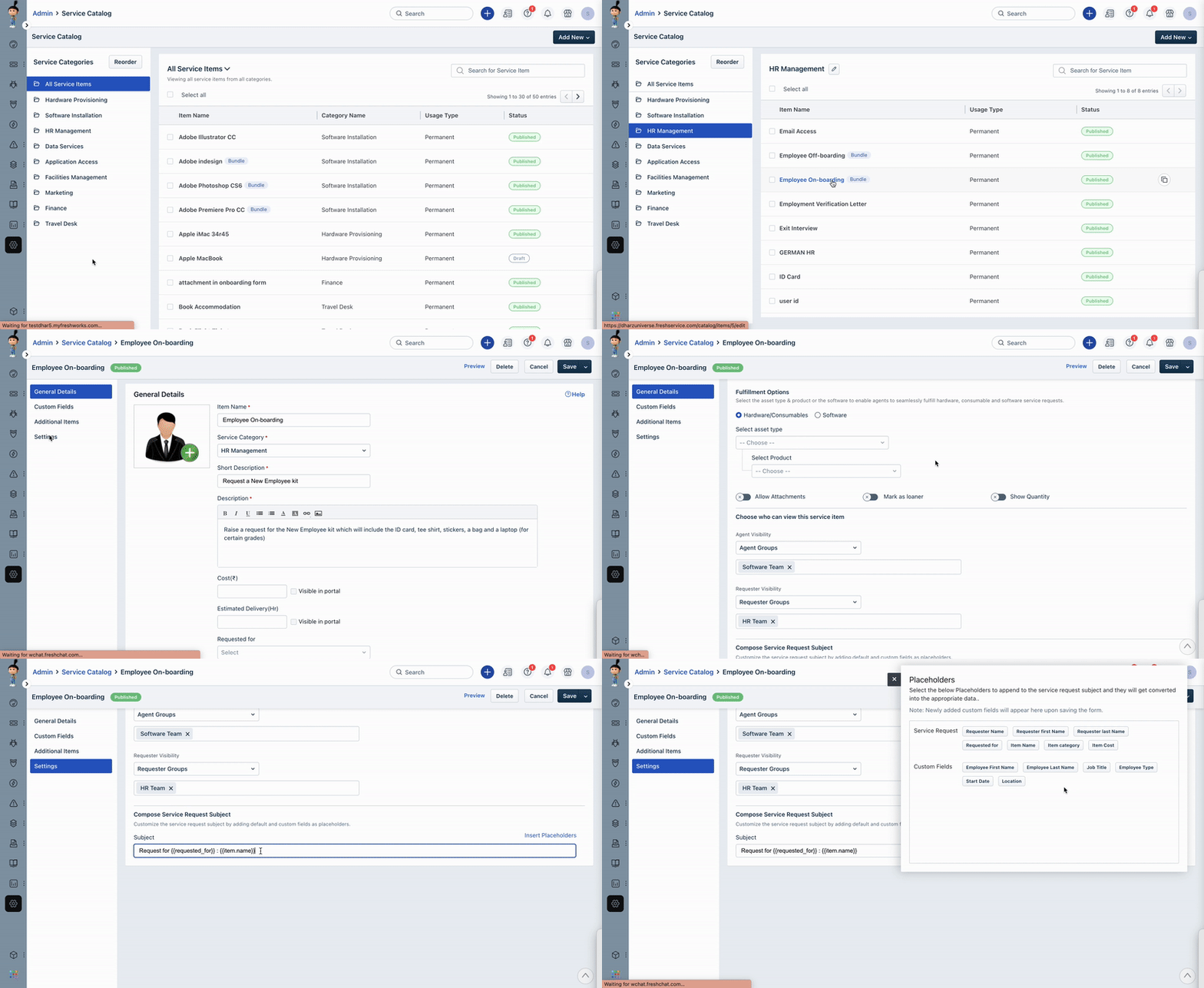
- Navigate to Admin.
- Under the Service Management section, go to the Service Request Management sub-section, and click on the Service Catalog option.
- Click on the required Service Item and select the Settings tab.
- Under the Compose Service Request Subject section, customize the subject line of the Service Request.
- Using the Insert Placeholders option, include additional information in the subject, such as the type of request, the category, or the priority level.
Was this article helpful?
That’s Great!
Thank you for your feedback
Sorry! We couldn't be helpful
Thank you for your feedback
Feedback sent
We appreciate your effort and will try to fix the article