You can restrict the visibility of Service Items to specific requester groups by following the steps below.
- Navigate to Admin.
- Under the Service Management section, go to the Service Request Management sub-section, and click on the Service Catalog option.
- Click on the required Service Item and select the Settings tab.
- Under the "Choose who can view this service item" section, select the required Agent groups and Requester groups who can access the service item.
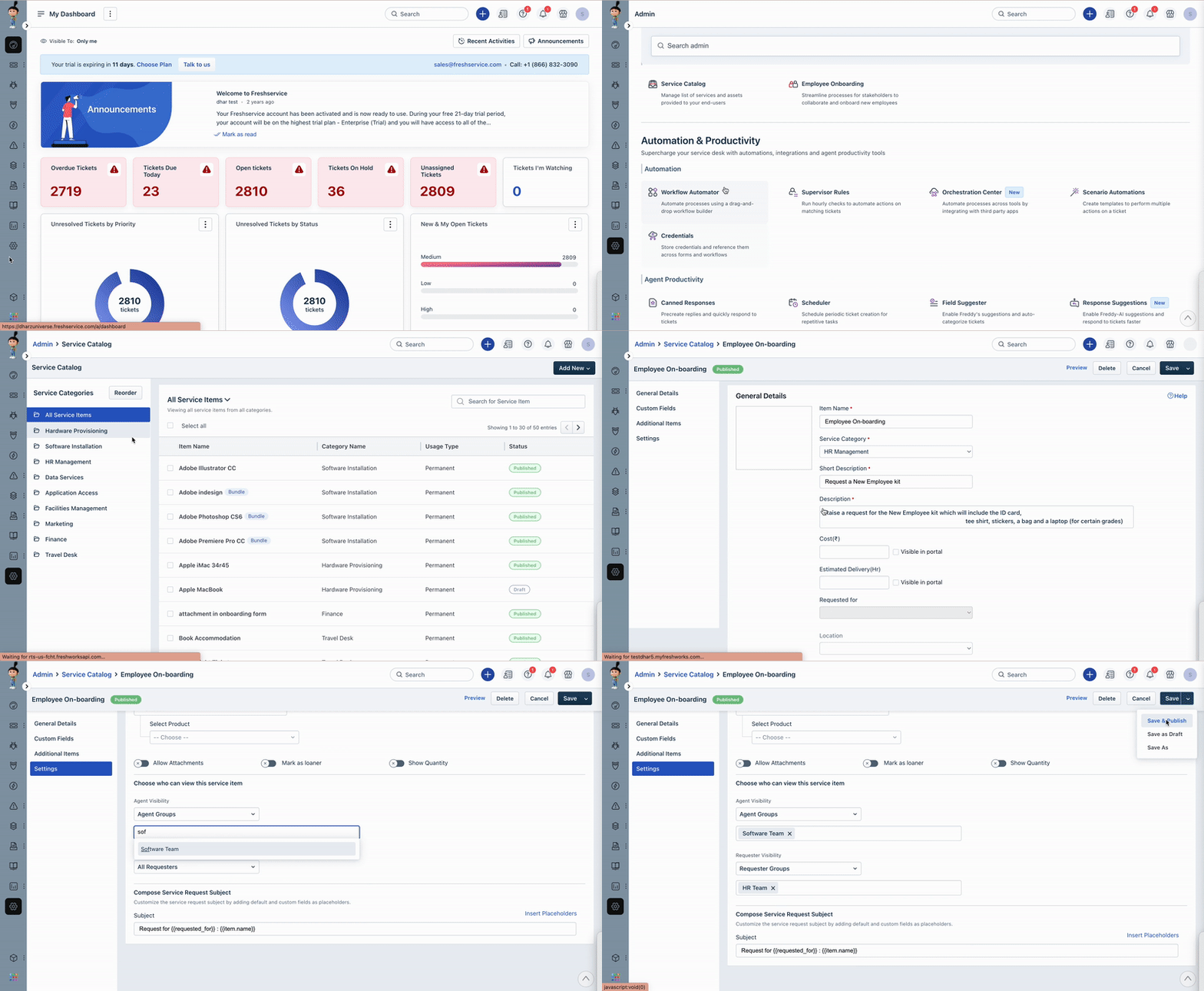
Once the restriction has been applied, the service item will only be visible to the selected users or groups when they are logged in to Freshservice. Other users will not be able to see or access the item.
Was this article helpful?
That’s Great!
Thank you for your feedback
Sorry! We couldn't be helpful
Thank you for your feedback
Feedback sent
We appreciate your effort and will try to fix the article