You can set approval reminders to be sent to approvers every x number of hours. You can define the interval at which the reminder emails must be sent. Here's how you can do it.
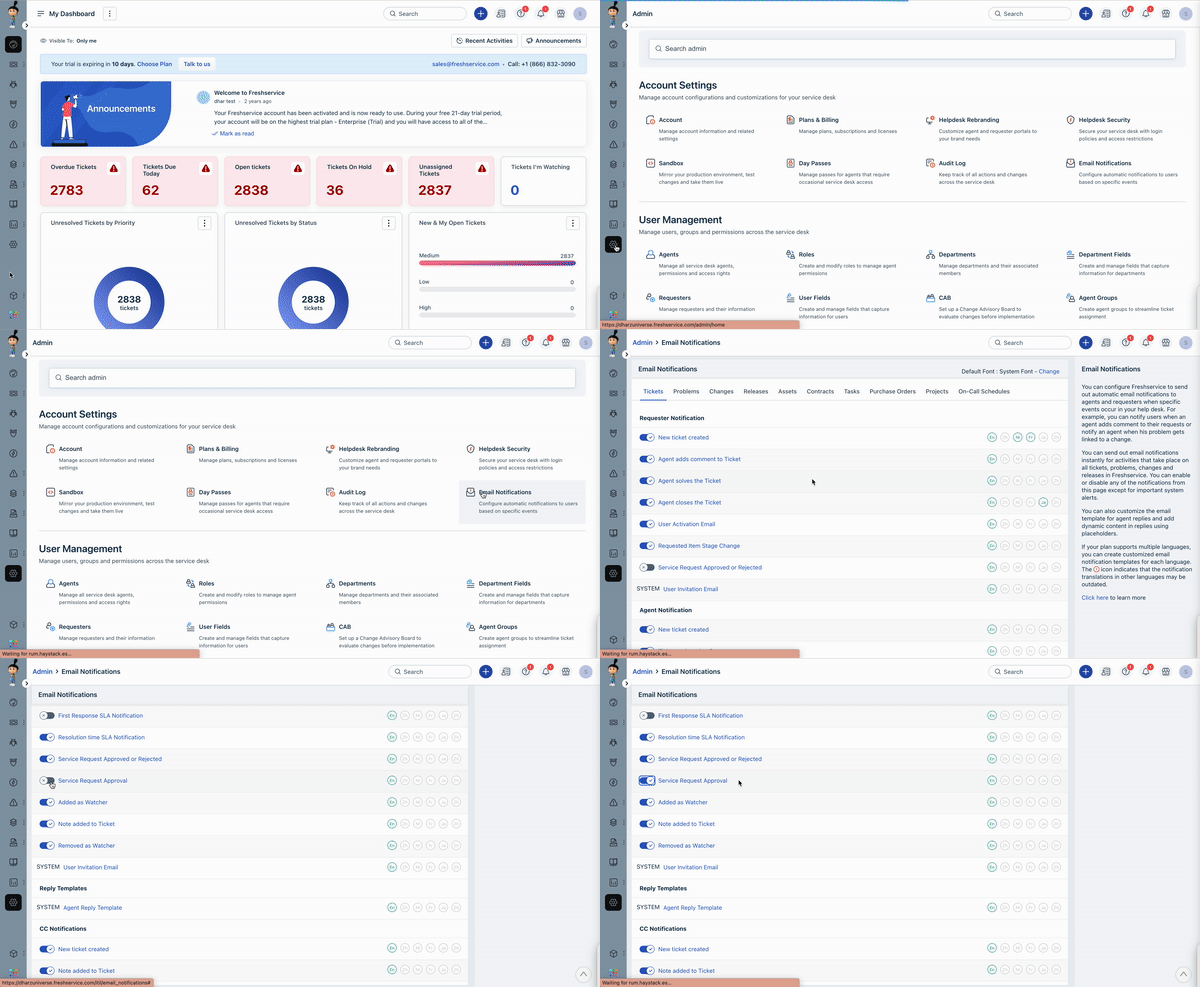
- Navigate to Admin.
- Under the Account settings section, click on the Email Notification option.
- Under the Tickets tab, scroll down to the Agent Notifications section.
- Toggle ON the Service Request Approval option and click on it to edit the notification.
- Modify the Subject and Message of the approval reminder notification and use the Insert Placeholder option to include dynamic placeholders.
- Enable the Send a reminder to approvers every .... hour(s) checkbox.
- Set the frequency in the hours field.
- Click Save.
Was this article helpful?
That’s Great!
Thank you for your feedback
Sorry! We couldn't be helpful
Thank you for your feedback
Feedback sent
We appreciate your effort and will try to fix the article