At times, you might have to update an on-call shift to accommodate changes in availability of agents. In Freshservice, it is easy to delegate shift in a few clicks.
Step 1: Navigate to the Shift list page > shift of your choice.
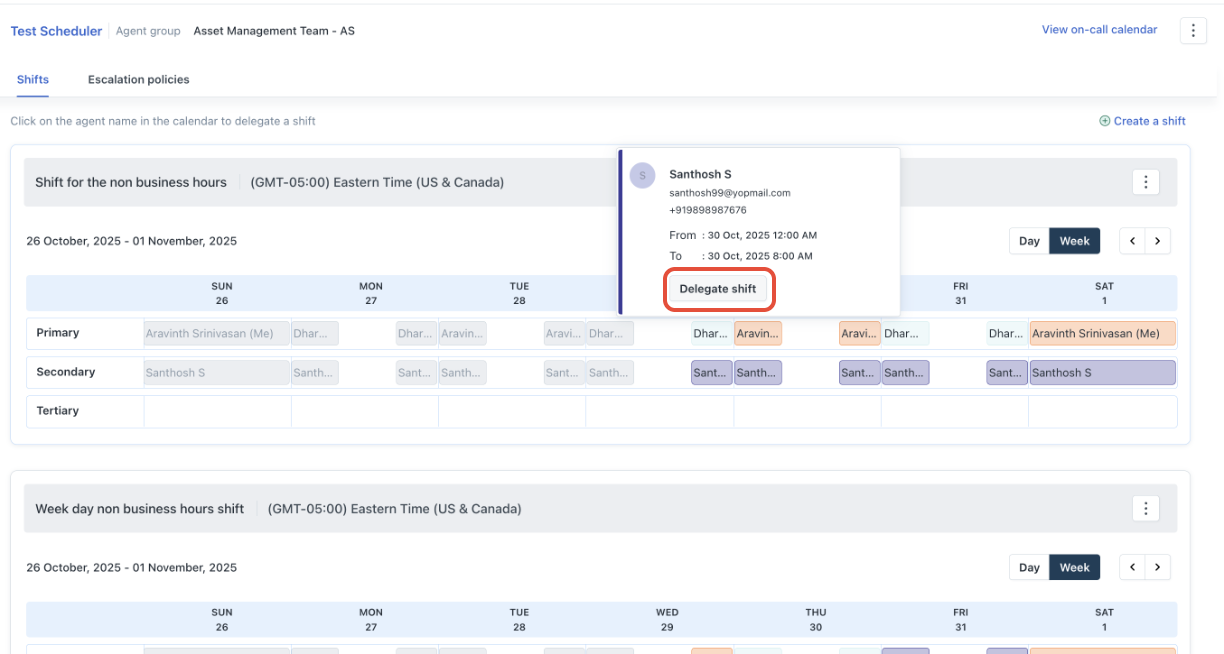
Step 2: Choose the agent for whom you want to provide coverage and select Delegate Shift.
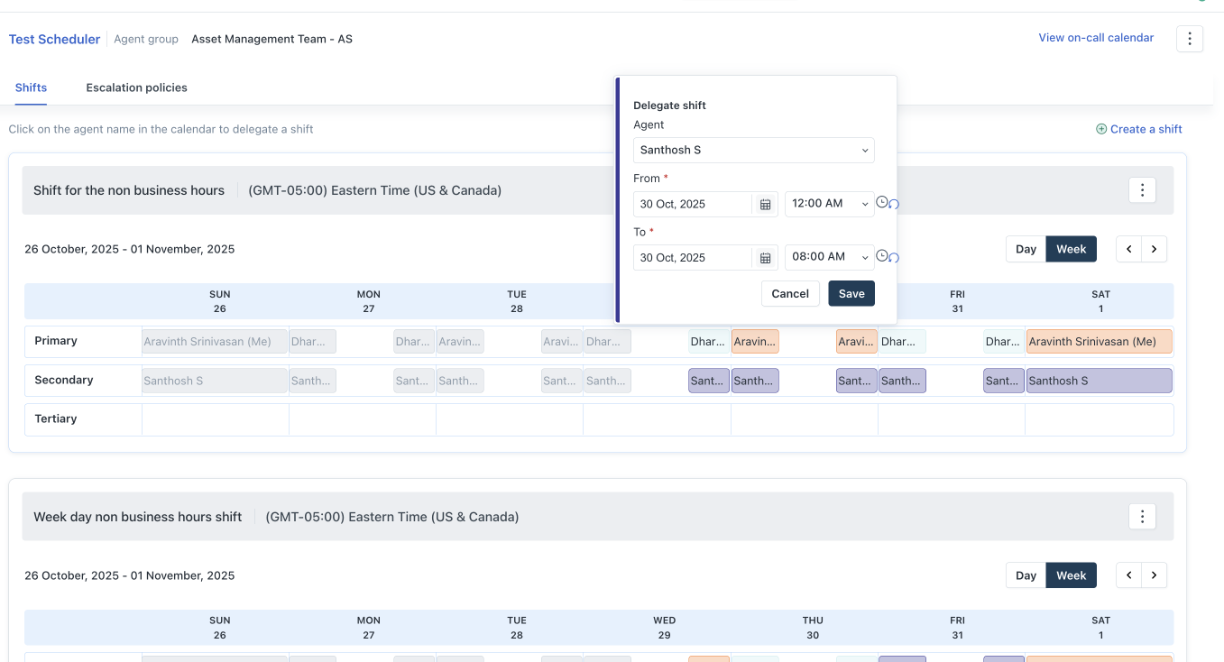
Step 3: Update the on-call agent details and 'save'
Next > Edit or update an on-call shift
Was this article helpful?
That’s Great!
Thank you for your feedback
Sorry! We couldn't be helpful
Thank you for your feedback
Feedback sent
We appreciate your effort and will try to fix the article