To show more columns in the dashboard view, you can utilize the Show Underlying Data feature of the widget. Simply click on the gear icon in the dashboard's top-right corner. This will allow you to add more rows as per your requirement. Search and select the desired columns to be displayed in the expanded view.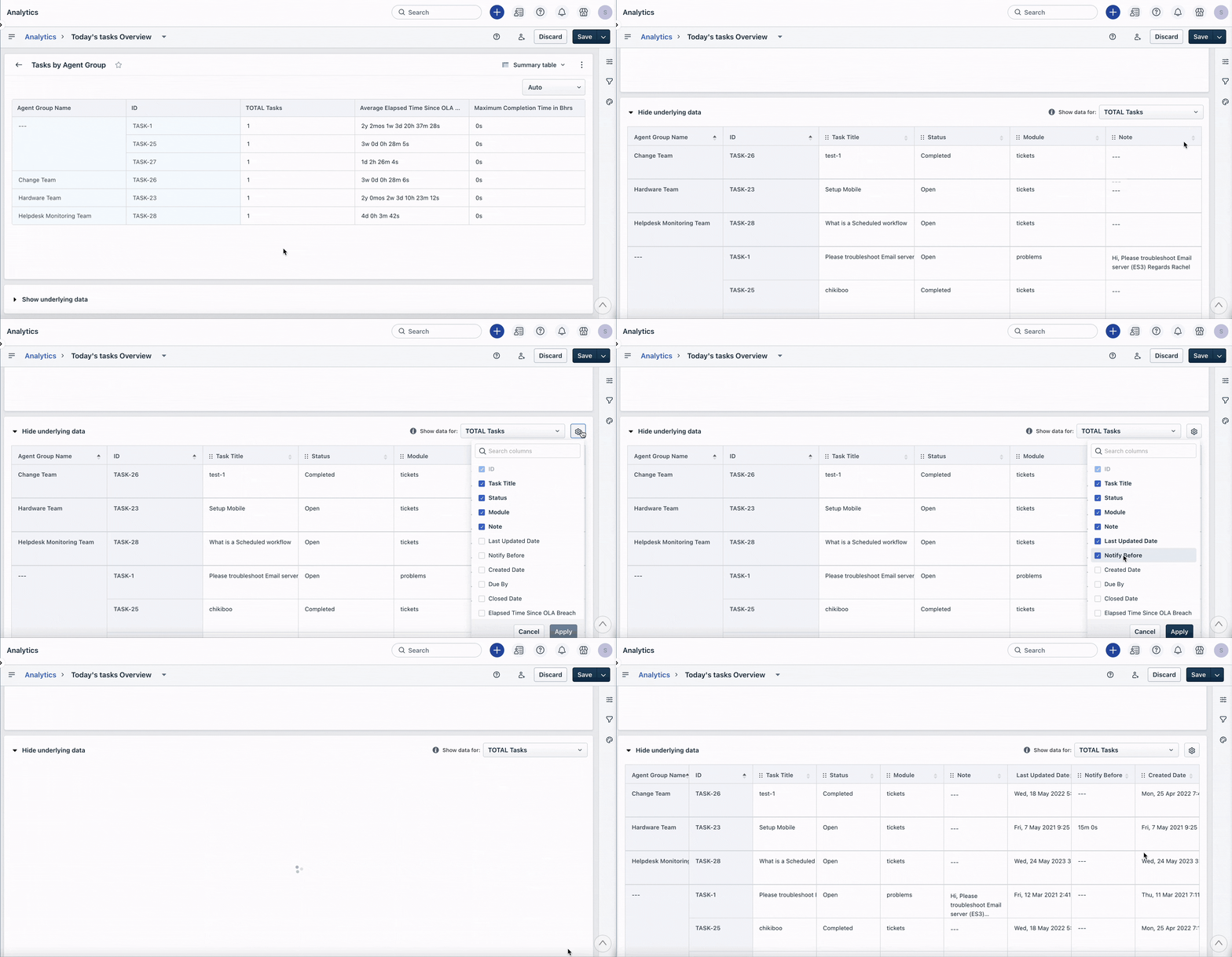
Was this article helpful?
That’s Great!
Thank you for your feedback
Sorry! We couldn't be helpful
Thank you for your feedback
Feedback sent
We appreciate your effort and will try to fix the article