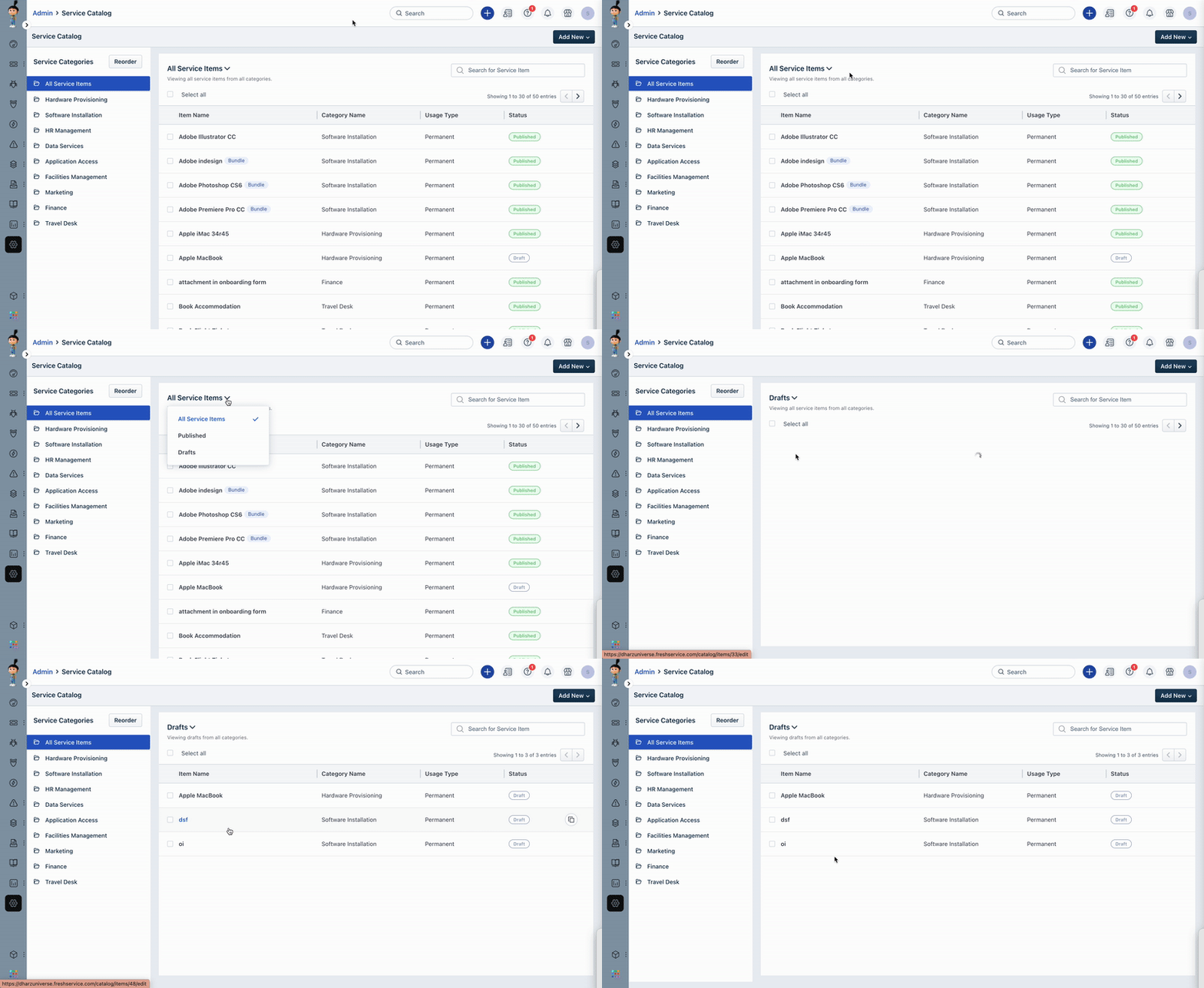
To view service items that are saved as draft and not yet published in Freshservice, follow these steps:
- Navigate to Admin.
- Under the Service Management section, go to the Service Request Management sub-section, and click on the Service Catalog option.
- Click on the dropdown next to All Service Items and select Drafts.
- You can see the list of service items that aren’t published but saved as draft.
Was this article helpful?
That’s Great!
Thank you for your feedback
Sorry! We couldn't be helpful
Thank you for your feedback
Feedback sent
We appreciate your effort and will try to fix the article