To remove ServiceBot from a specific team,
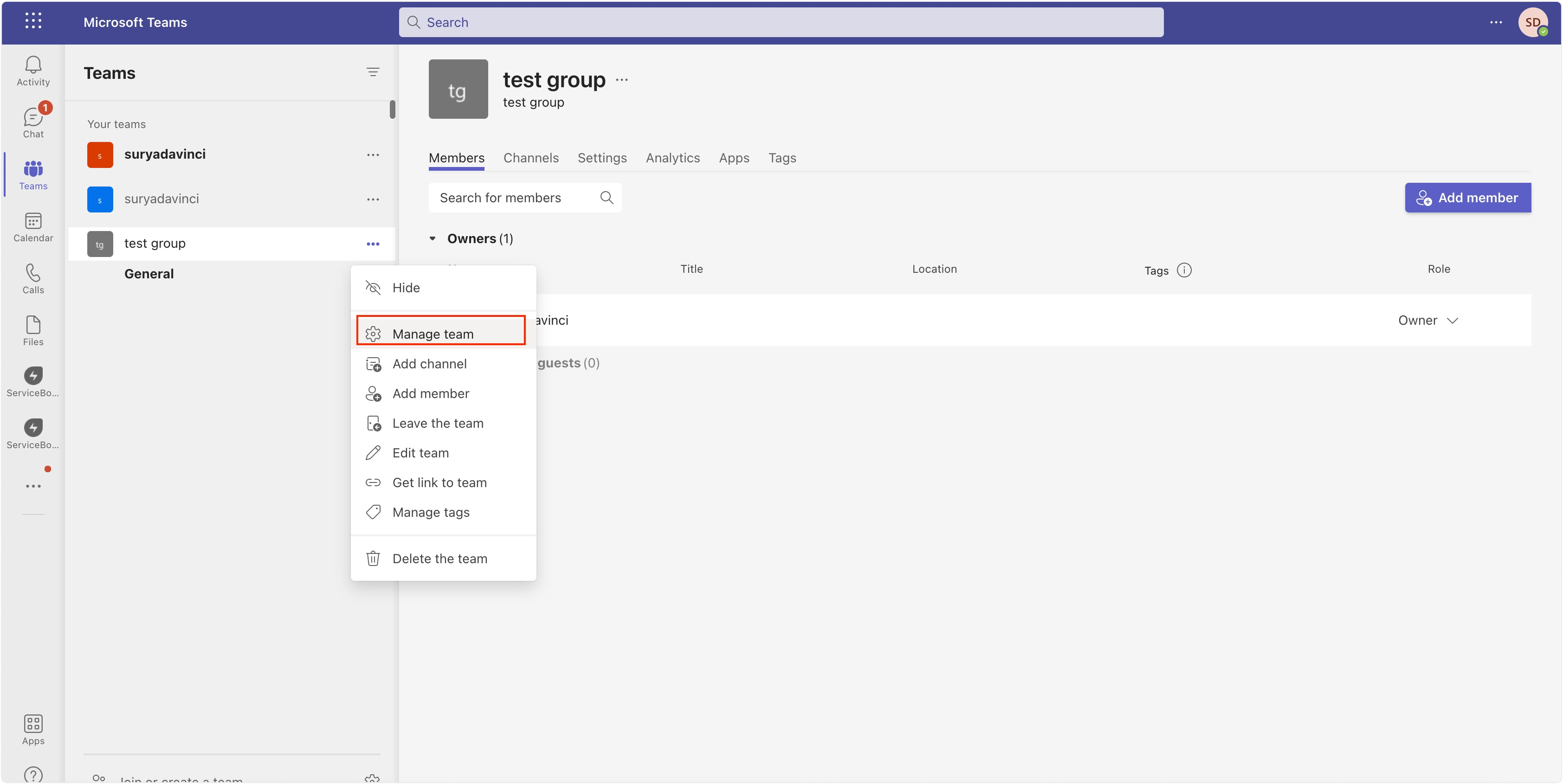
- Select the Team whose app you wish to remove
- Click three dots > Manage team
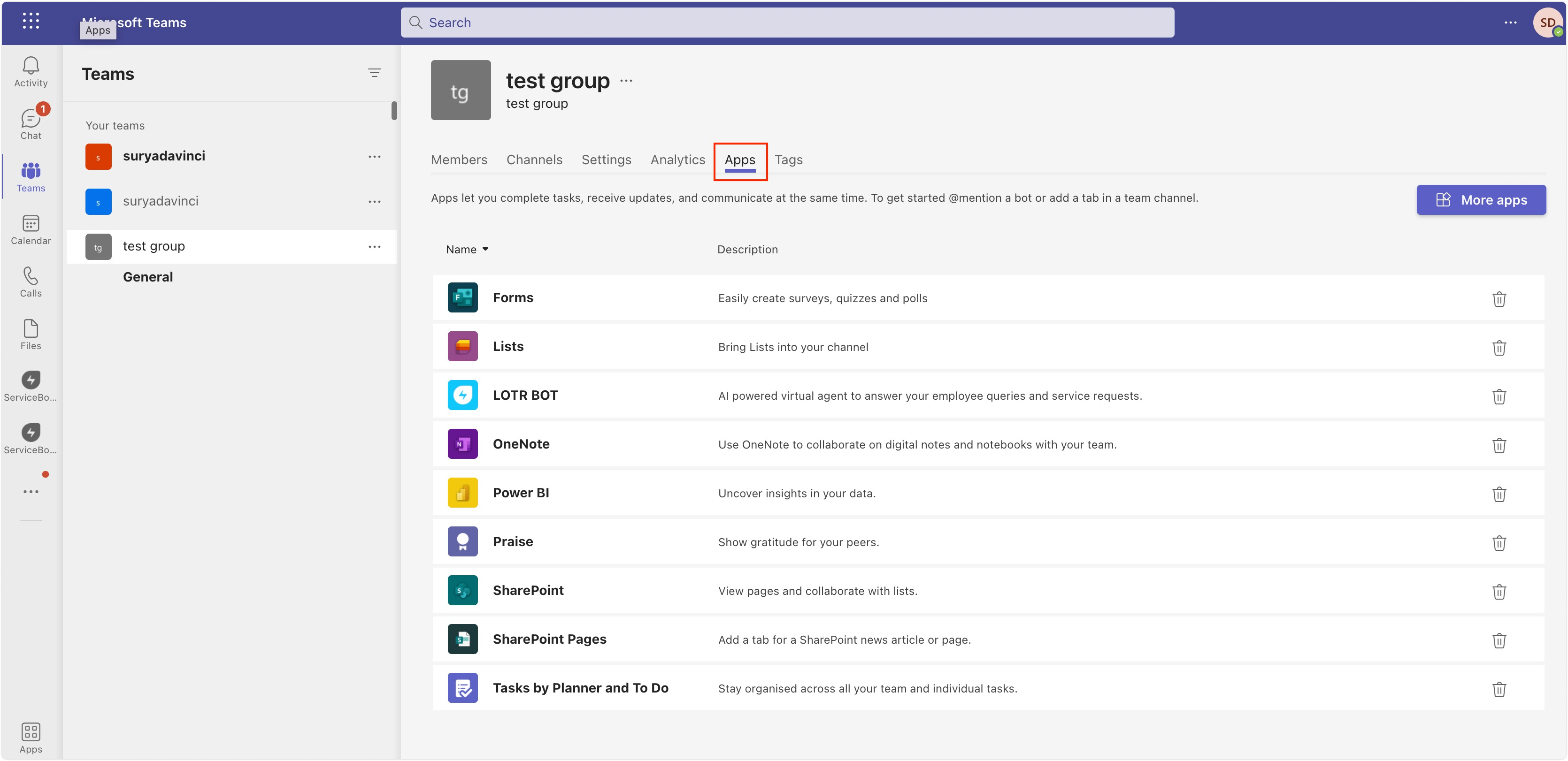
- Click on the Apps Tabs
- Delete ServiceBot from the list.
Was this article helpful?
That’s Great!
Thank you for your feedback
Sorry! We couldn't be helpful
Thank you for your feedback
Feedback sent
We appreciate your effort and will try to fix the article