WhatsApp usage metrics enable admins to monitor the usage metrics for each WhatsApp number integrated with the Freshdesk account from a unified screen.
Note: WhatsApp Business charges are based on the message category — Marketing, Utility, Authentication, or Service — and vary based on the recipient’s country code.
To check your WhatsApp usage metrics:
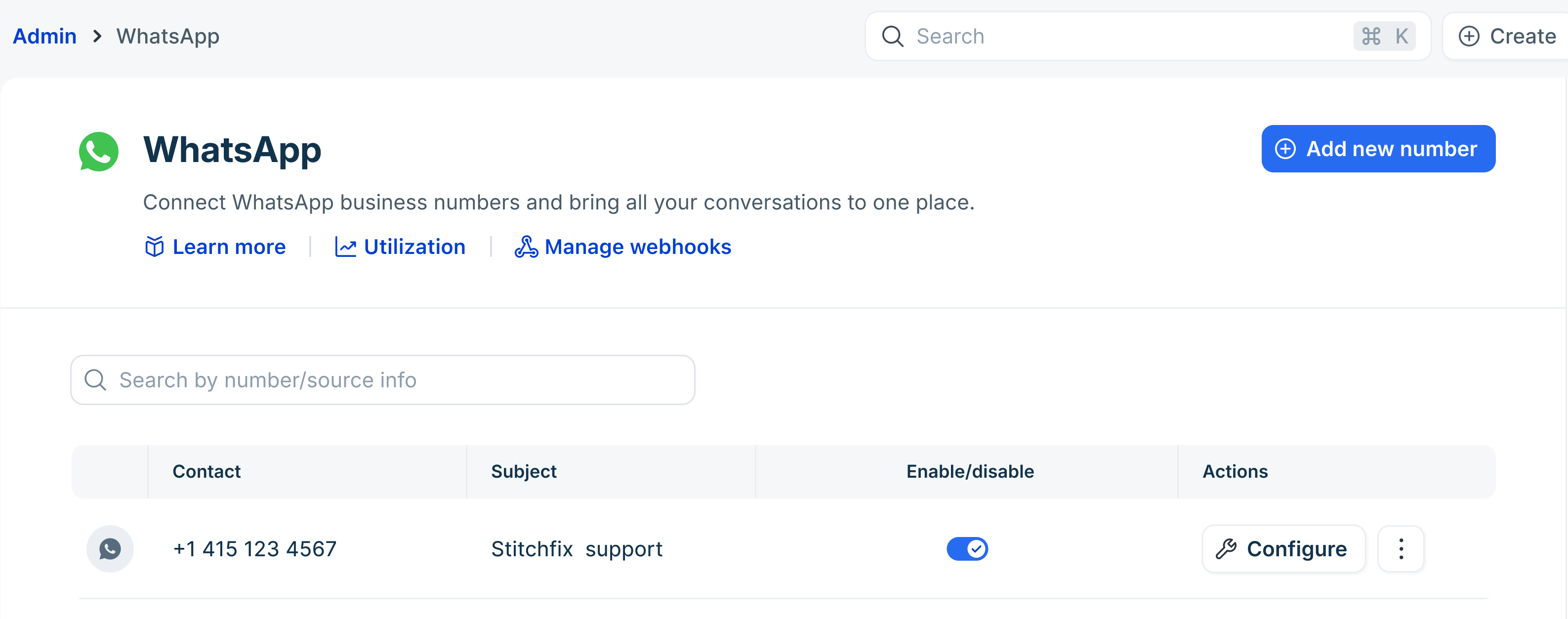
- Go to Admin > Channels > WhatsApp.
- Click Utilization.
- Here you can see the total monthly summary of messages utilized, along with the corresponding costs. This includes a breakdown by Marketing, Utility, Authentication, and Free messages.
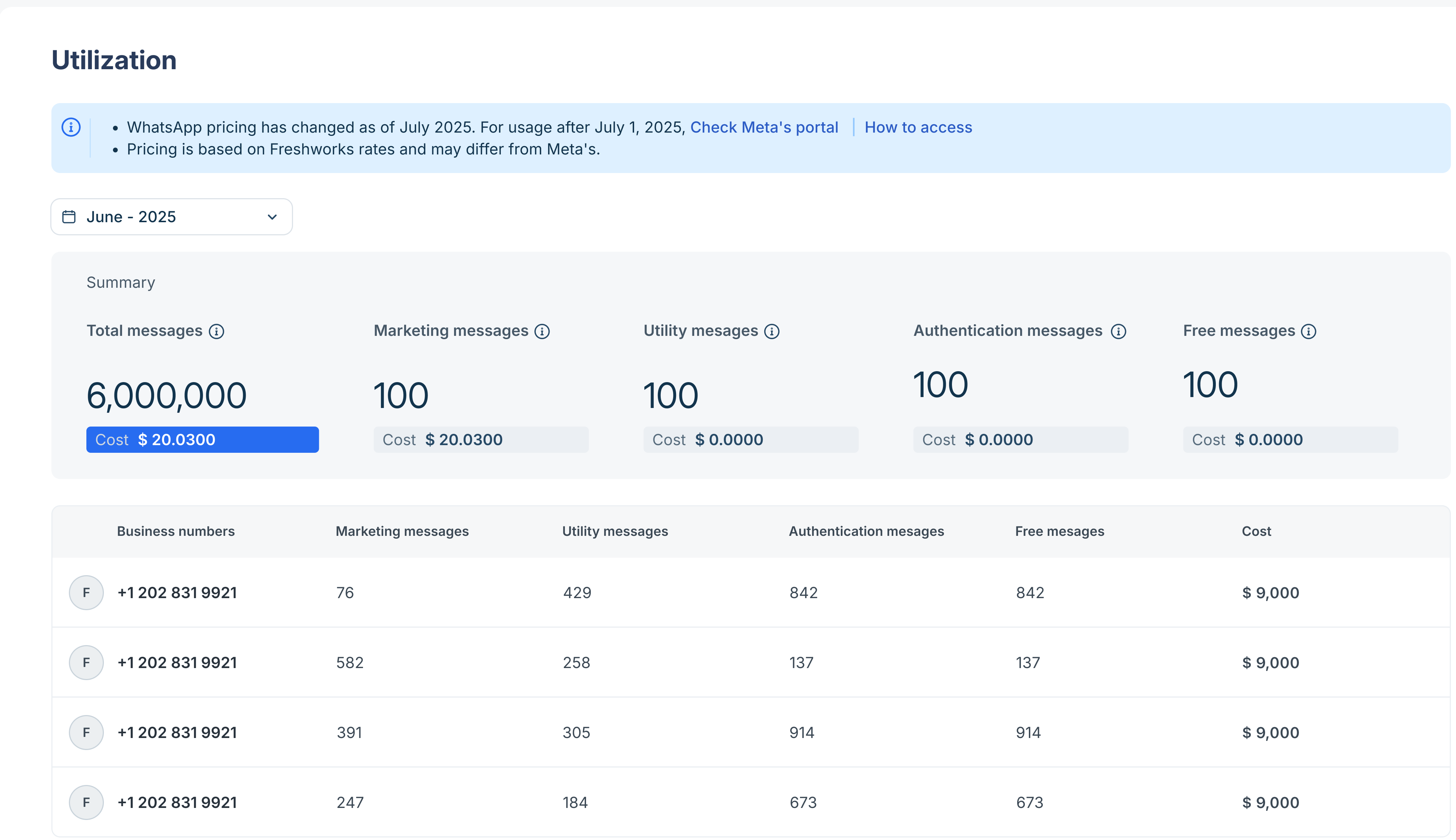 Note: Free messages include service messages, free entry point conversations, and utility messages dispatched within the 24-hour service window. For a detailed breakdown of free messages, see WhatsApp Conversation Insights.
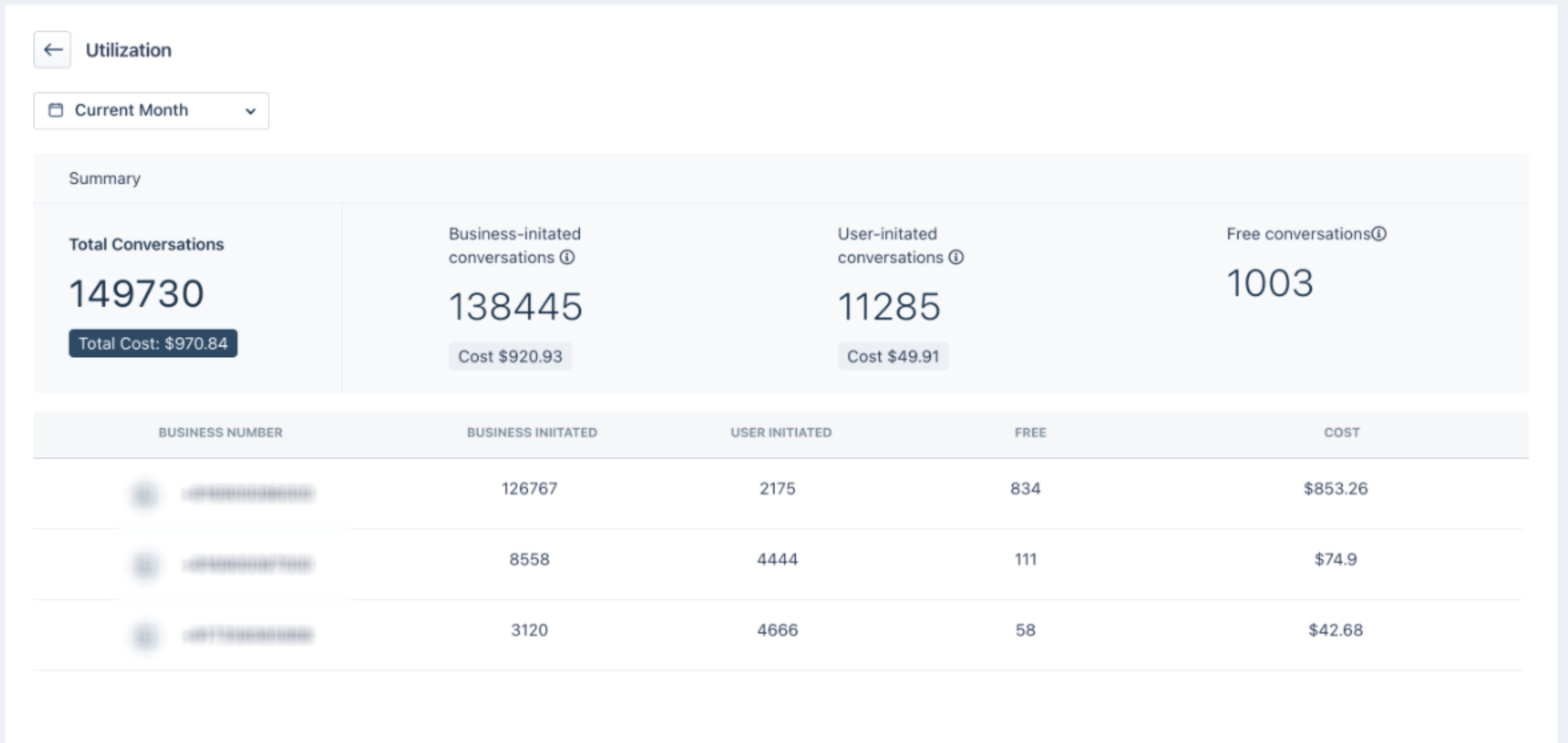
Utilization before July 2025
For conversations before July 2025, the breakdown will follow the earlier model—categorized into business-initiated, user-initiated, and free conversations, along with the respective monthly costs.
Please contact support@freshdesk.com for any further assistance.
Was this article helpful?
That’s Great!
Thank you for your feedback
Sorry! We couldn't be helpful
Thank you for your feedback
Feedback sent
We appreciate your effort and will try to fix the article