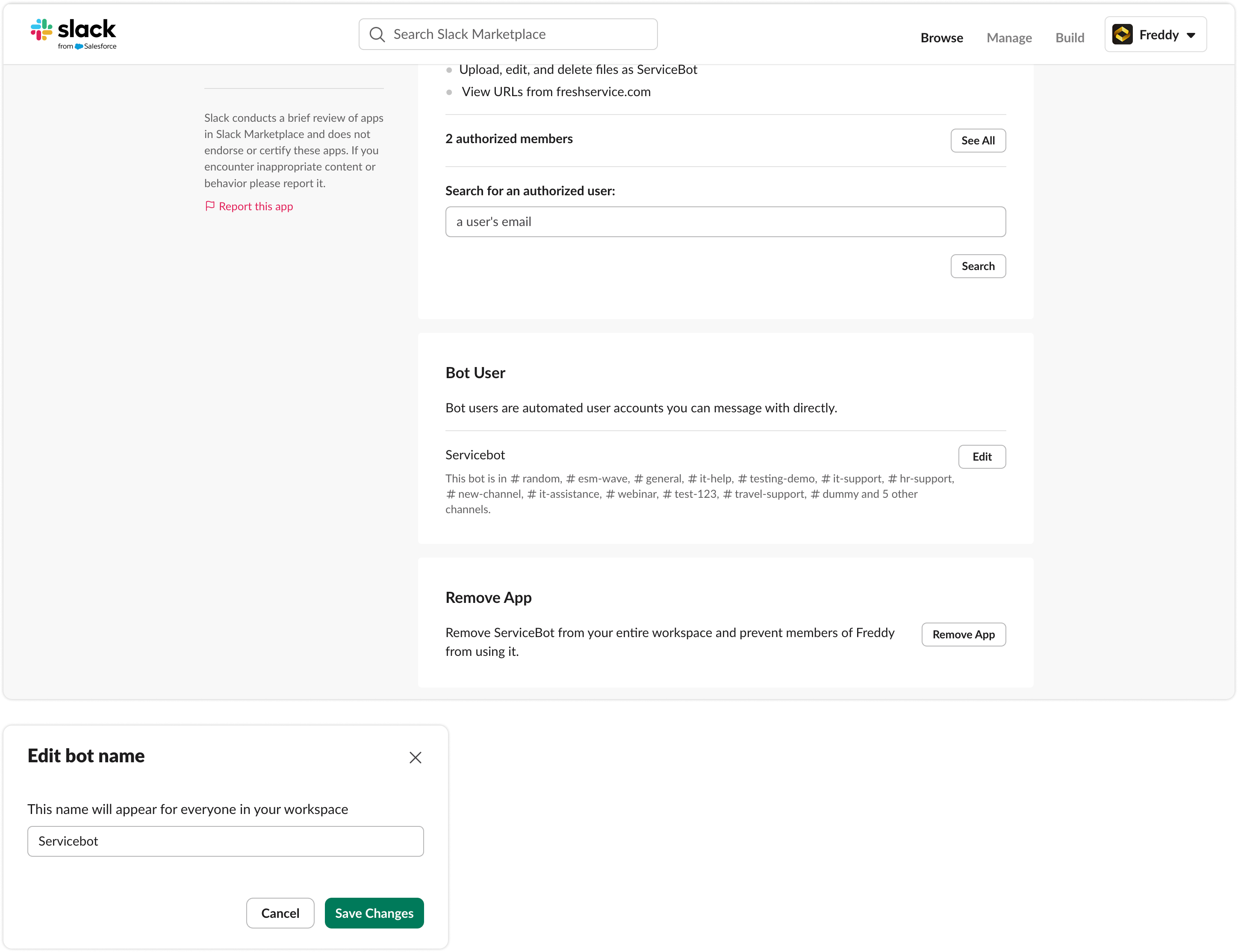
This feature works the same way in Freshservice and Freshservice for Business Teams (FSBT).Rename the ServiceBot application in Slack to match your brand and improve internal adoption. Here's how you can change the name for your ServiceBot in Slack:
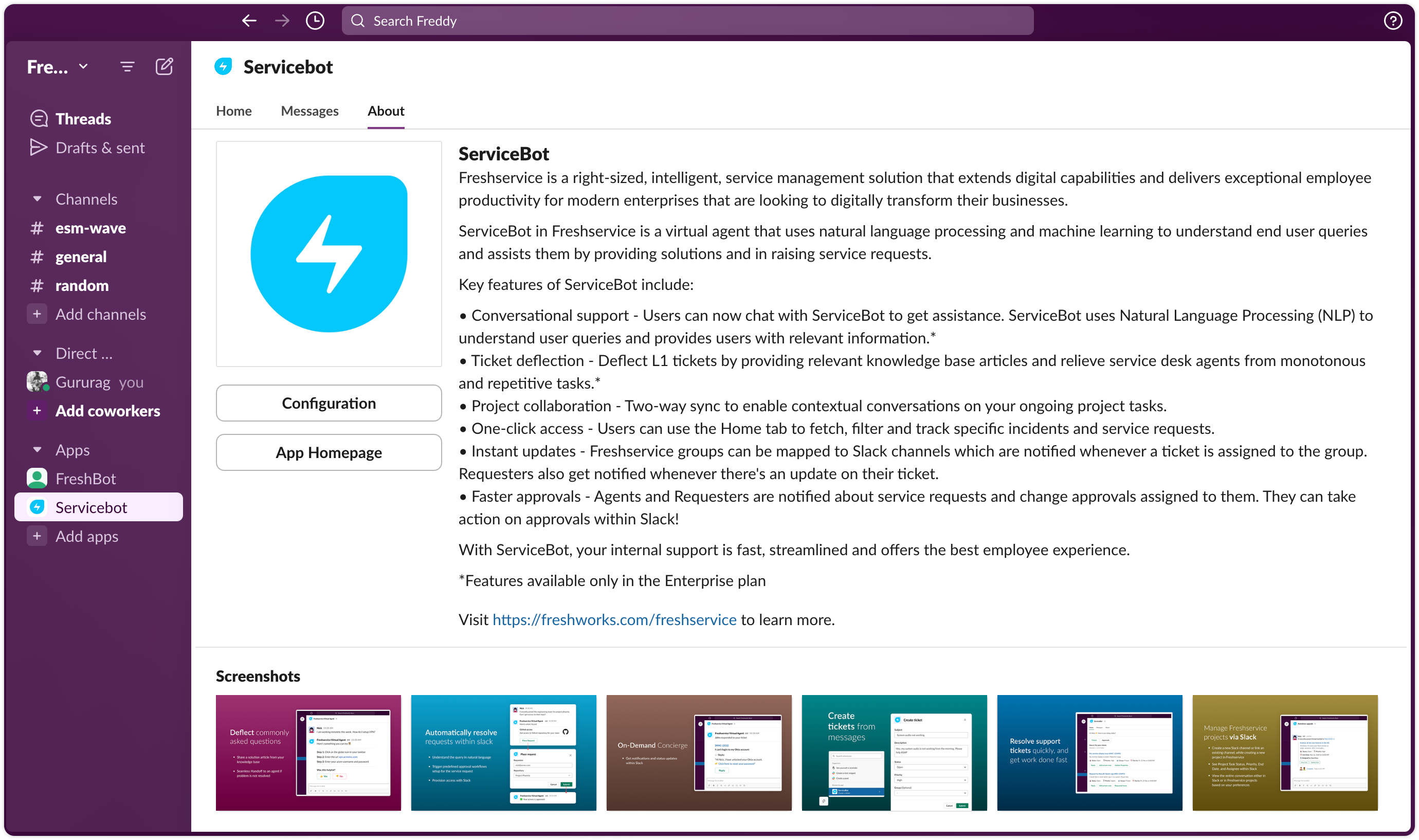
Open Slack and go to the “Servicebot” app.
Click the “About” tab.
Click “Configuration”.
Once the configuration page opens, “Edit” button next to the Bot User heading.
Was this article helpful?
That’s Great!
Thank you for your feedback
Sorry! We couldn't be helpful
Thank you for your feedback
Feedback sent
We appreciate your effort and will try to fix the article