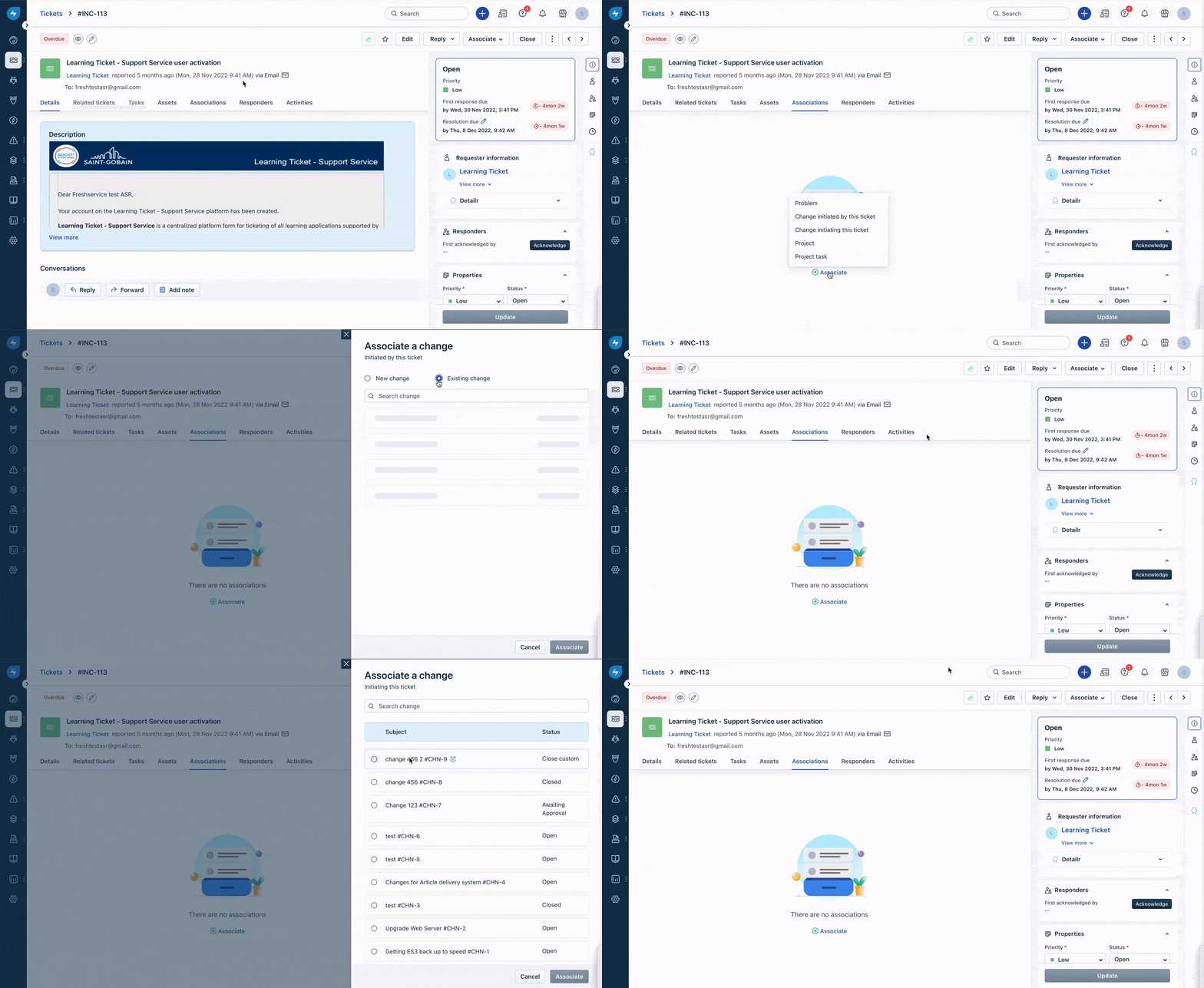
Both Incidents and Service Requests can be associated with Changes. To associate a ticket with a change,
- Go to the Ticket view page for the ticket you want to associate with a change.
- Select the Associations tab and click on the Associate button.
- Choose the appropriate option from the two given:
- Change initiated by this ticket: to associate or create a new change that was the reason for the ticket
- Change initiating this ticket: to associate a change that was the reason for creating the ticket
- Depending on the selection, a pop-up window will appear with either the fields for creating a new change or a list of existing changes to choose from.
Was this article helpful?
That’s Great!
Thank you for your feedback
Sorry! We couldn't be helpful
Thank you for your feedback
Feedback sent
We appreciate your effort and will try to fix the article