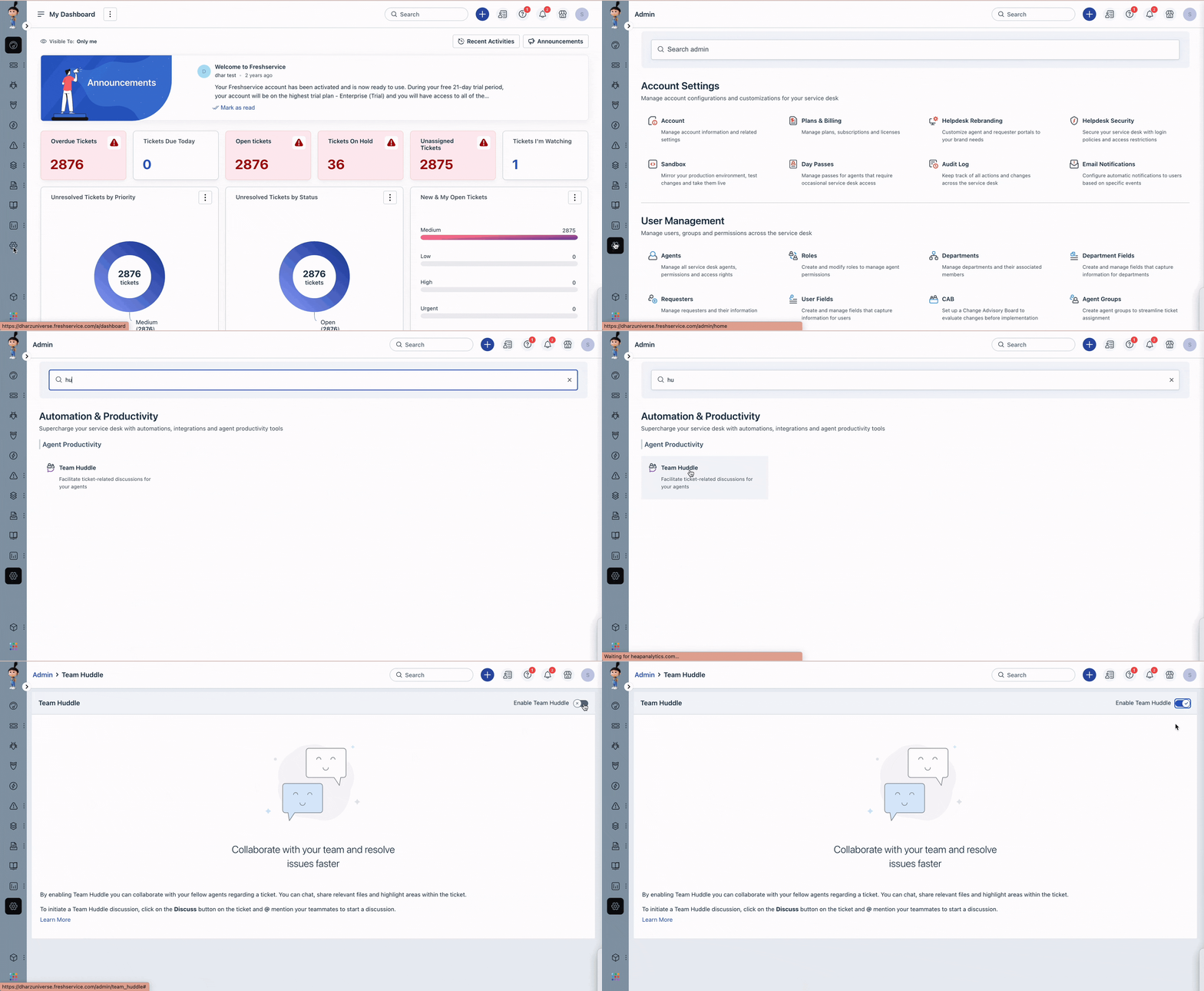
If your Freshservice account is a Non-Business team (ESM) account and is located in the US data centre, you can enable the team huddle feature by following the steps below,
- Go to Admin > Automation & Productivity > Agent Productivity > Team huddle.
- Turn on the toggle switch to enable the feature.
- Customize the settings as per your requirements.
- Click Save to apply the changes.
Was this article helpful?
That’s Great!
Thank you for your feedback
Sorry! We couldn't be helpful
Thank you for your feedback
Feedback sent
We appreciate your effort and will try to fix the article