Freshservice provides a comprehensive way to track and manage your releases. One of the useful features is the ability to run a report or create a widget on your releases. This can be done by following these simple steps:
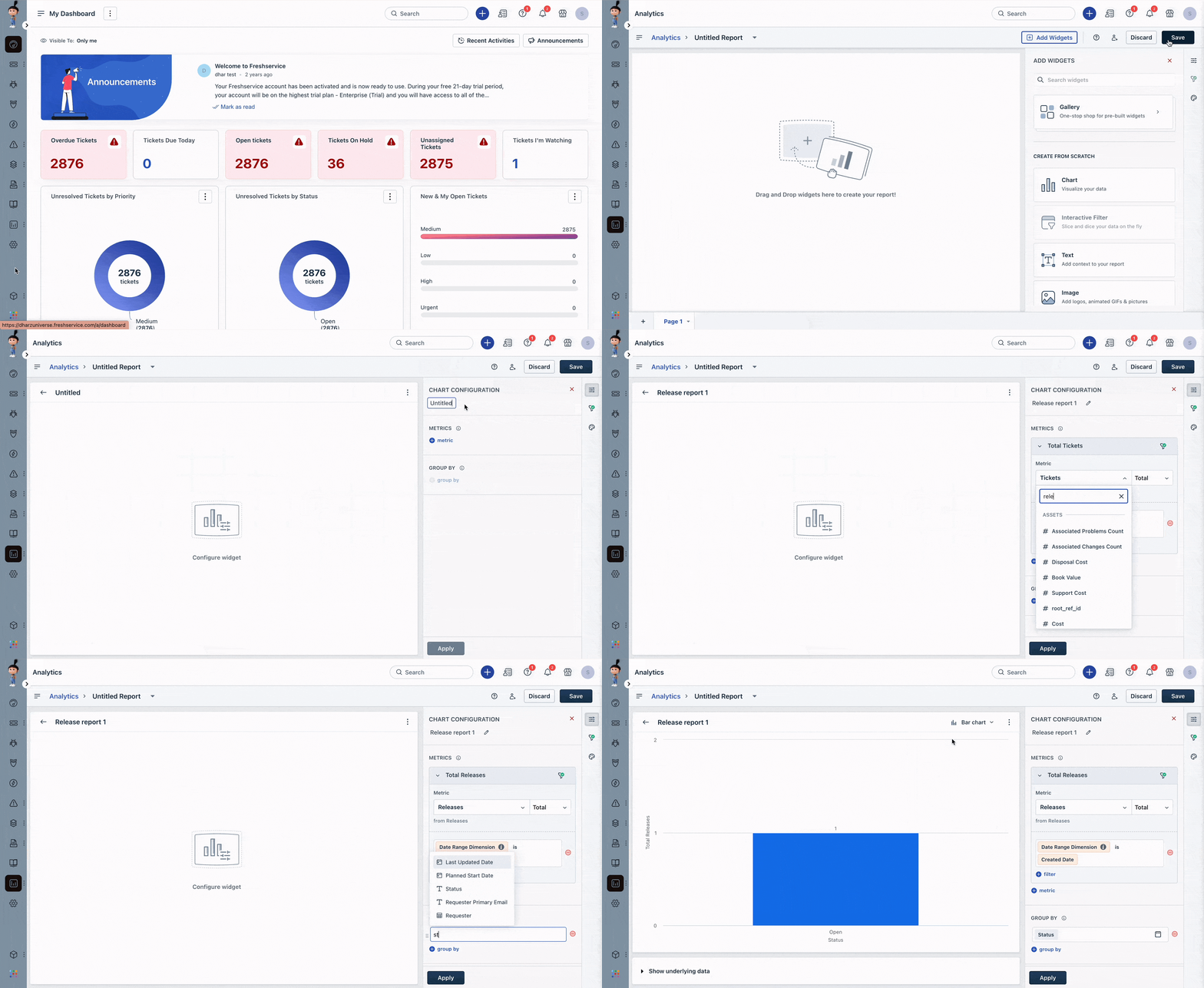
- Navigate to Reporting icon > Analytics and click on New Report.
- Let's consider adding a Chart to our report. Drag and drop a Chart and expand the chart.
- Give your chart configuration a name.
- Under Metrics - choose Releases and provide additional details based on your business requirements.
- Click Apply to run the report.
You can also create a new report and add a widget from the list of pre-built widgets for releases. This makes it easy to keep track of all your releases in one place.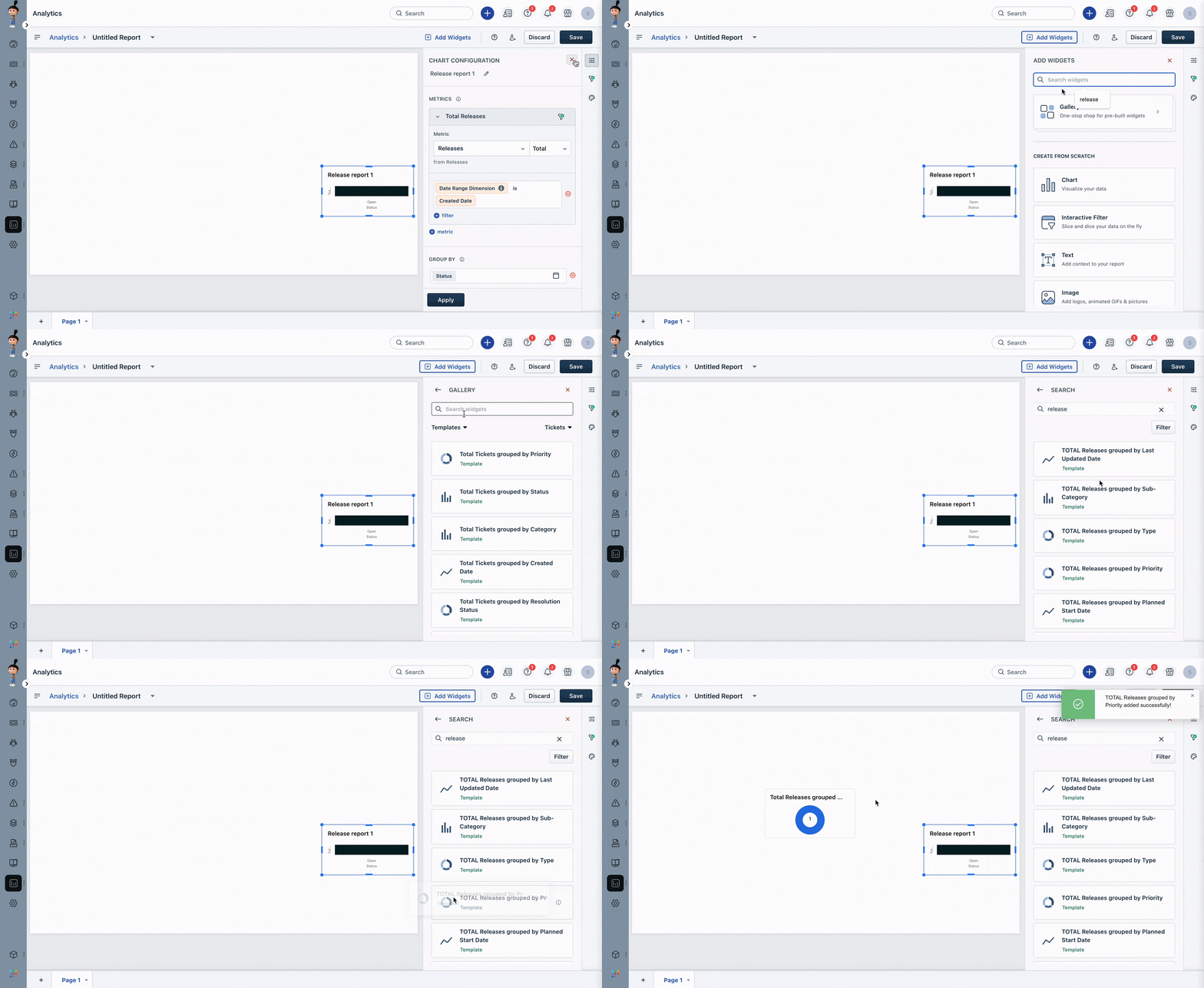
Was this article helpful?
That’s Great!
Thank you for your feedback
Sorry! We couldn't be helpful
Thank you for your feedback
Feedback sent
We appreciate your effort and will try to fix the article