You can enable/disable email notifications from Admin --> Account Settings --> Email Notifications. Requester, Agent and CC notifications can be enabled/disabled from there. However the notifications that are sent from the backend, like the User invitation email ( system notification ) cannot be disabled from within the portal. Please take a look at the below screenshot to know where the User invitation email is present.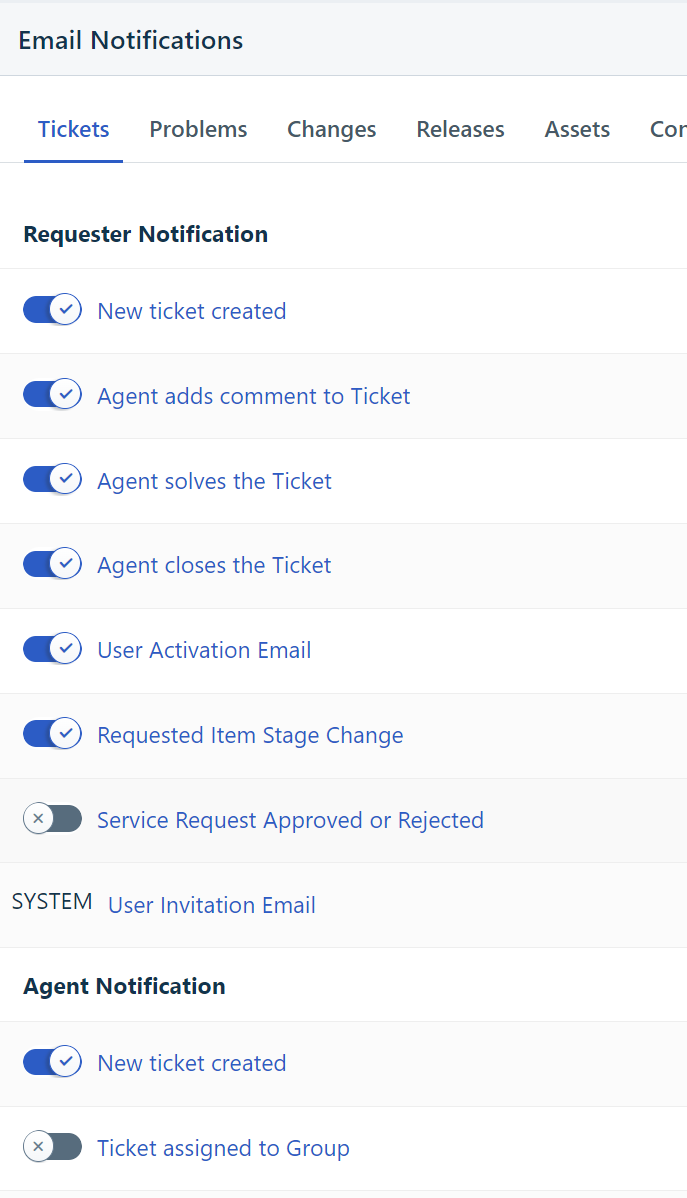
Was this article helpful?
That’s Great!
Thank you for your feedback
Sorry! We couldn't be helpful
Thank you for your feedback
Feedback sent
We appreciate your effort and will try to fix the article