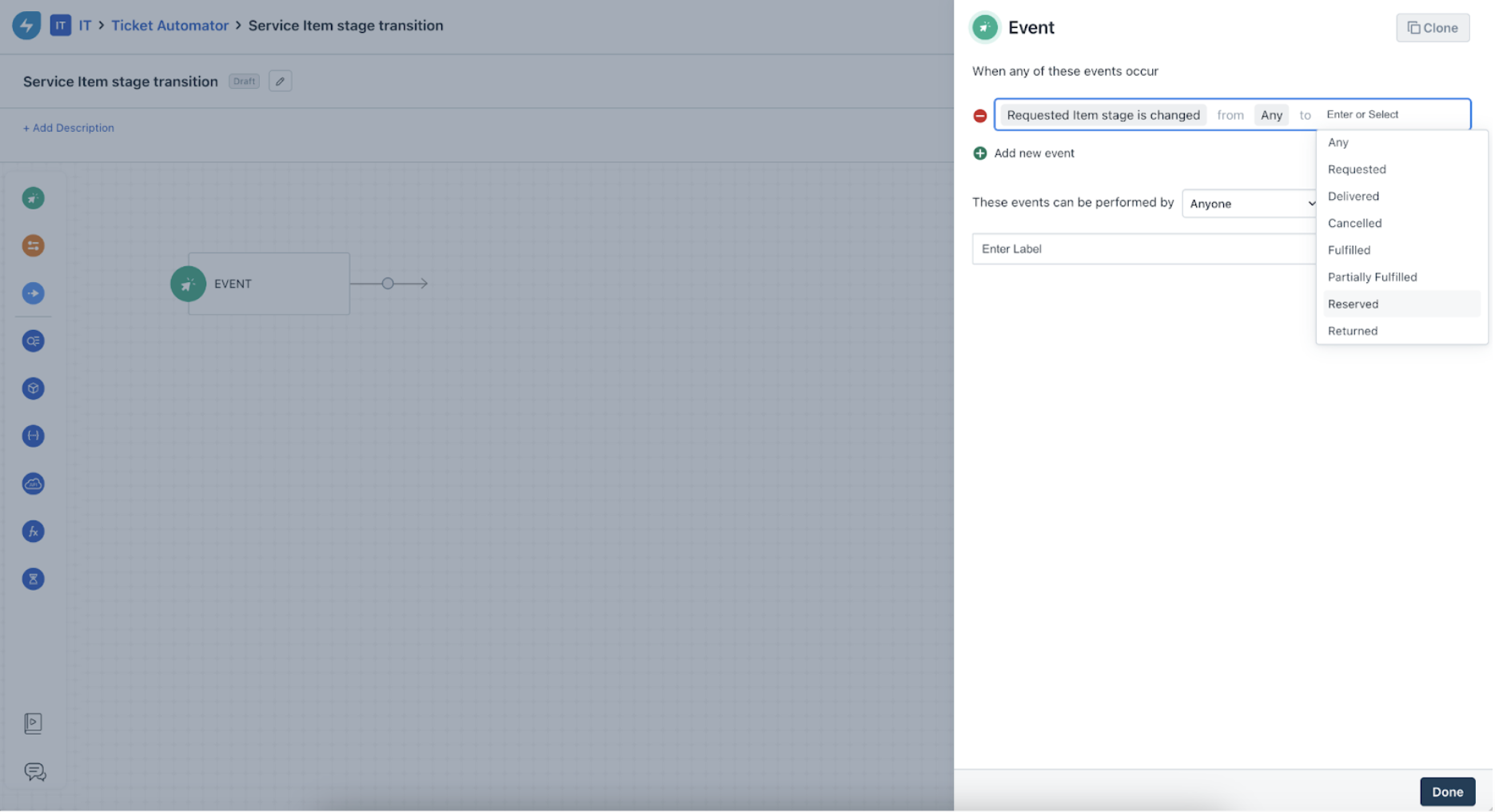
You can now add an event based trigger for general service items, loaned service items, and documents in Ticket workflows.
- For these events, all stages are supported: Requested, Delivered, Partially Fulfilled, Fulfilled, and Canceled.
- Documents are also considered as service items.
- Any stage transition for documents (from Requested to Fulfilled) can be considered as a valid event/trigger for the "Stage is Updated" event. Currently, when a document is attached, the stage automatically changes to fulfilled. This can also trigger a workflow.
Note: If there are multiple items added to a ticket, then stage transition for even one of the item will be considered as a valid trigger.
Following this event, the user can configure a condition node with the specific Requested Service Item. Then, the workflow will be triggered when the item's stage is changed from Any to Any.
Example:
- Event is "Requested item stage is changed from Any to Partially Fulfilled".
- There are two service items in the ticket: Laptop and Monitor.
- Condition node has a sub-condition: Monitor's stage includes Requested.
- When the stage of the Laptop is changed to Partially Fulfilled, the workflow will still be triggered.
- If the expectation is for the workflow to be triggered only for one specific item, then the condition should be configured accordingly.
Was this article helpful?
That’s Great!
Thank you for your feedback
Sorry! We couldn't be helpful
Thank you for your feedback
Feedback sent
We appreciate your effort and will try to fix the article