If you need to remove information from a connected app, follow the steps below based on your integration with Facebook or Instagram.
Deleting Information from the Product UI
- Navigate to the respective Facebook or Instagram Page connected to your Freshworks account.
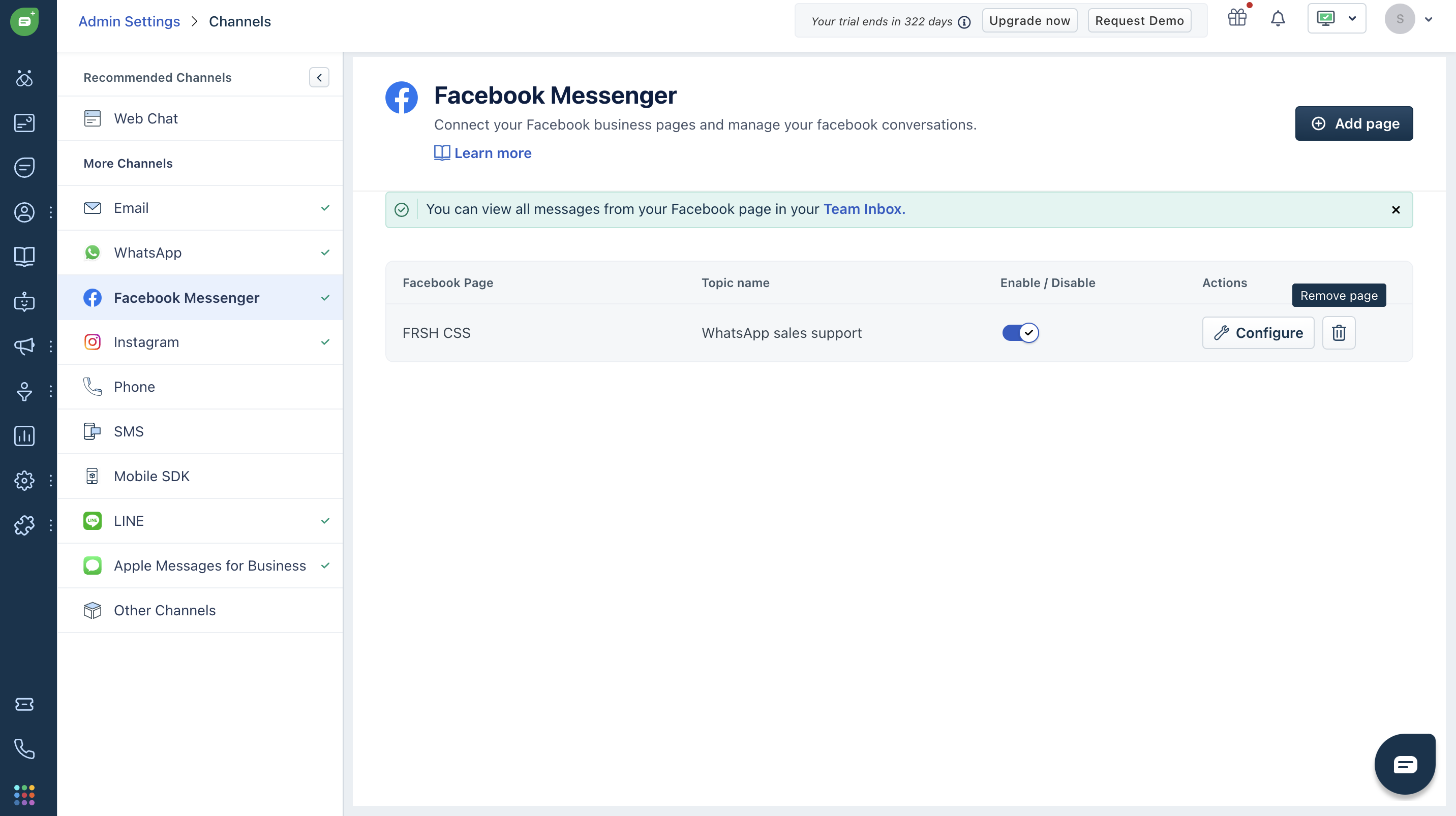
- In Freshworks, go to Admin Settings > Channels > Facebook/Instagram.
- Click Delete to remove the integration.
Deleting Information After Removing the Freshworks App from Facebook
- If the Freshworks app was removed directly from the connected Facebook Page, you can still delete/disconnect the integration from the Freshworks product UI.
- This will ensure that all associated data is removed from the product.
Data Removed On Deletion
When you delete the integration, the following details will be removed from Freshworks:
- Facebook Page ID
- Instagram ID
- Integrated Facebook Page tokens
- Integrated Instagram access tokens
- App scope User ID
Note: No personally identifiable information (PII) will be stored in the product. If you encounter any issues, please contact our support team at support@freshworks.com.
Was this article helpful?
That’s Great!
Thank you for your feedback
Sorry! We couldn't be helpful
Thank you for your feedback
Feedback sent
We appreciate your effort and will try to fix the article