Freshdesk provides 24/7 in-product chat support for urgent inquiries. Additionally, our support agents are available for real-time chat assistance 24/5.
To start a chat:
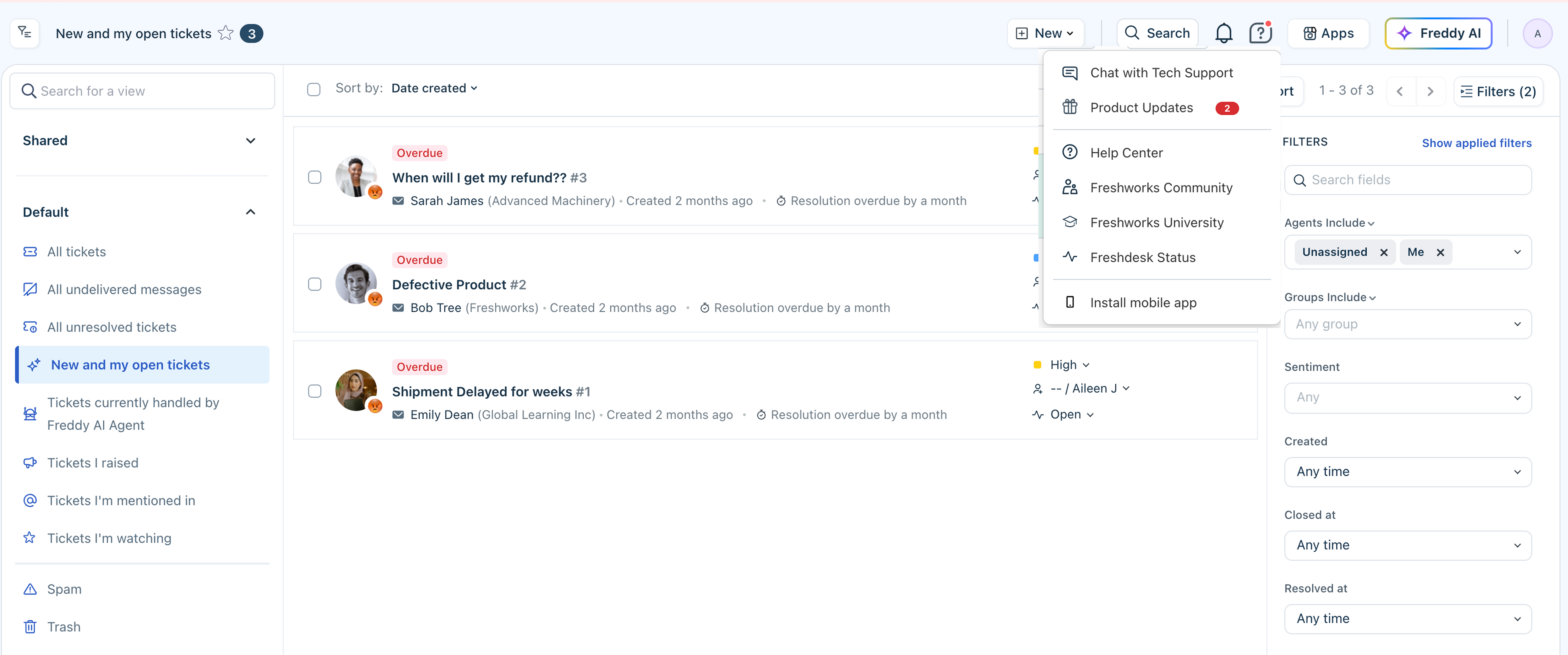
- On your agent portal, click on the help icon in the top-right corner.
- Select Chat with Tech Support.
- To start a conversation, select Help & Support or Support.
Note: The in-product chat support is available only for paid accounts.
Was this article helpful?
That’s Great!
Thank you for your feedback
Sorry! We couldn't be helpful
Thank you for your feedback
Feedback sent
We appreciate your effort and will try to fix the article