This feature allow agents to adjust the tone of their composed messages to match the needs of the customer.
This is a powerful feature that can help your agents establish positive relationships with your customers or convey professionalism when necessary.
Feature Benefits:
1. Increased customer satisfaction: By allowing agents to change the tone of their messages, you can ensure that consumers receive personalized, relevant responses that are suited to their individual needs.
2. Increased agent productivity: This feature allows agents to compose messages more quickly and accurately by allowing them to choose from three different tones (casual, friendly, and professional) rather than having to write messages from scratch each time.
HOW TO ENABLE THE FEATURE FROM ADMIN PAGE:
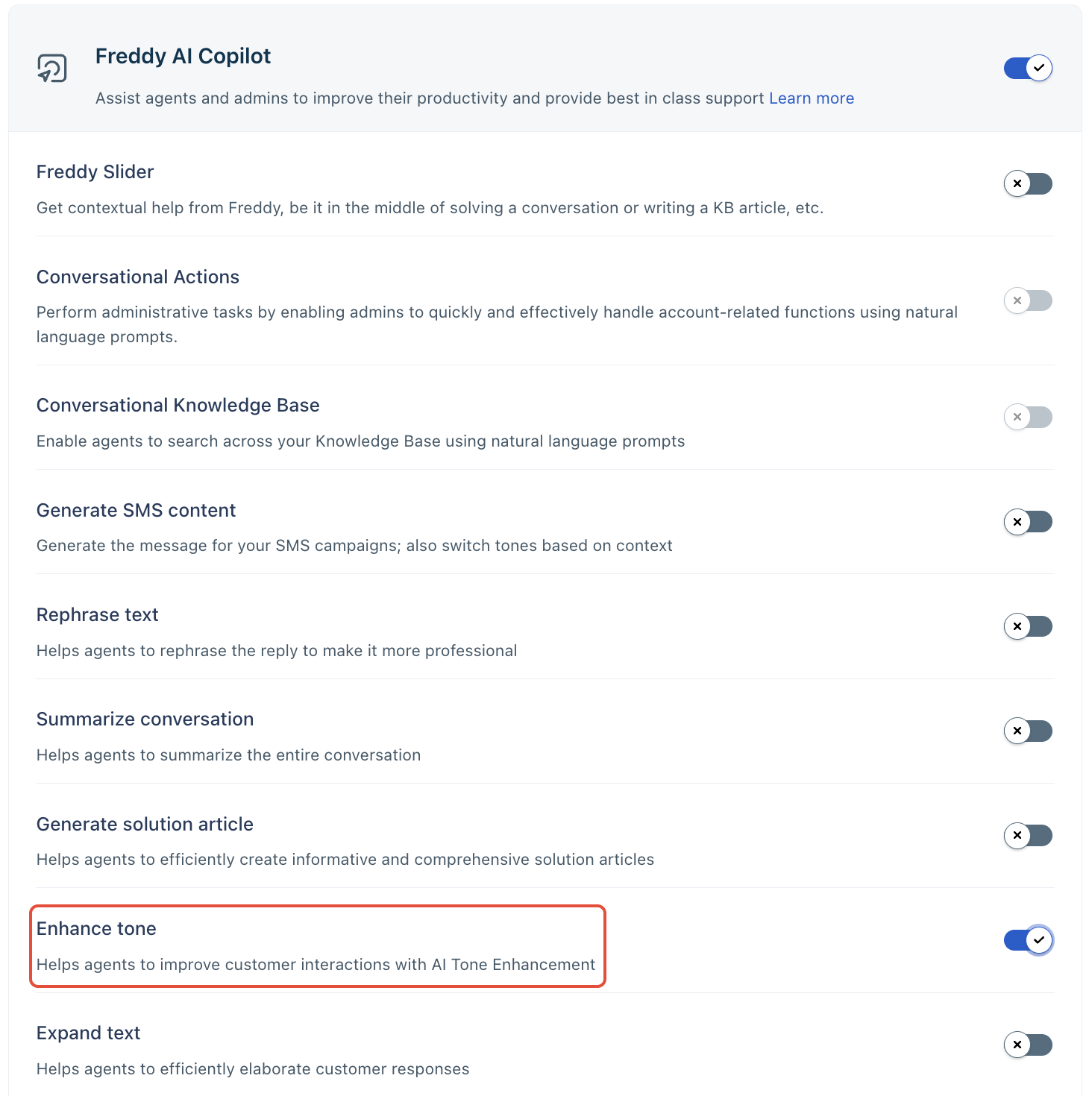
- Go to the admin settings ->chat settings -> Freddy
- Click on the "Freddy" icon to open the Freddy AI features page.
- Enable the toggle for " Enhance Tone" under Freddy AI Copilot.
How to use Tone Enhancer?
- Select the message you have typed in the reply editor.
- Click on the "Tone Enhancer" option.
- Choose one of the two tone options: More formal and Less formal.
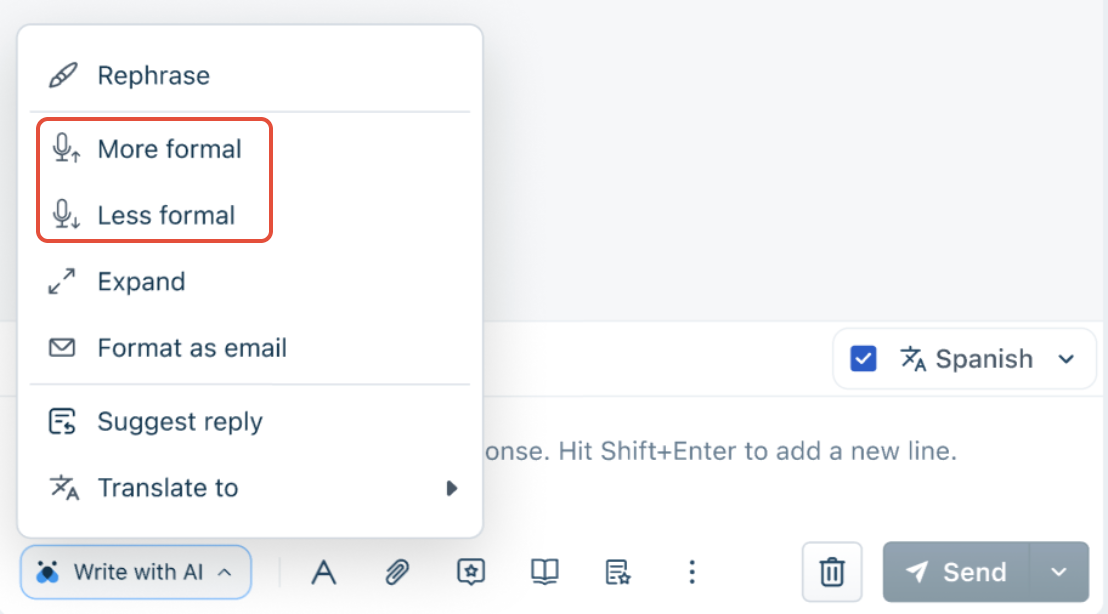
- Once you select the desired tone, the message will be automatically enhanced with that tone.
- Review the enhanced message to ensure it conveys the intended meaning and tone.
- Send the reply to the intended customer.
*The enablement of optional functionality is subject to certain feature-specific terms and conditions set forth in the Freshworks Supplemental Terms.
Was this article helpful?
That’s Great!
Thank you for your feedback
Sorry! We couldn't be helpful
Thank you for your feedback
Feedback sent
We appreciate your effort and will try to fix the article