You can install Freshchat on your WordPress and start interacting with customers and leads.
- Login to your WordPress account. Go to Plugins > Add New.

- Search for Freshchat plugin > Install > Activate.
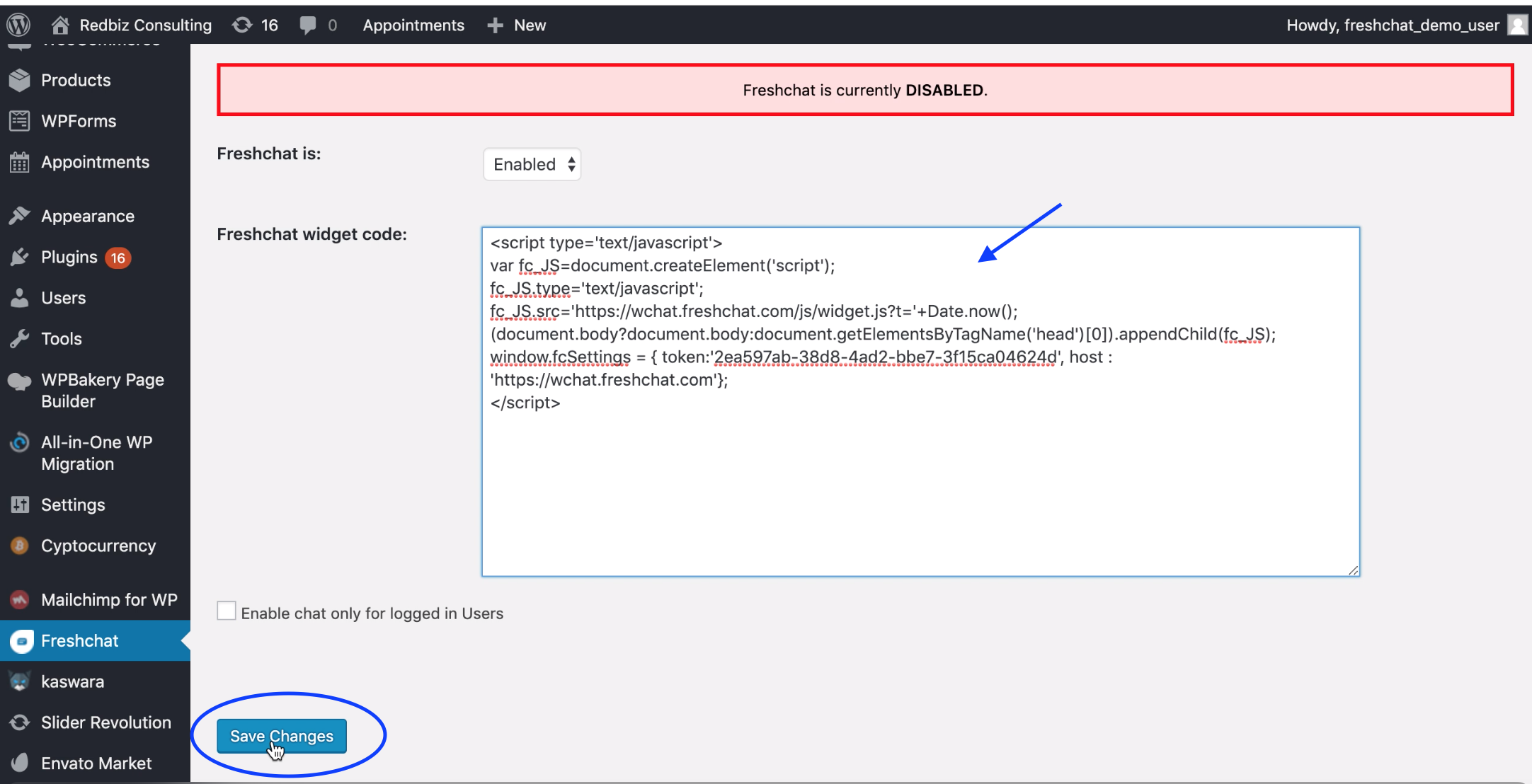
 Now you can find the Freshchat plugin on the left panel.
 - Click on Freshchat and select Enabled from the drop-down.

- Enter the Freshchat widget code. To get the code, log in to your Freshchat account and go to Admin > Integrations > WordPress.

- Copy/paste this code in WordPress and save the changes.
Was this article helpful?
That’s Great!
Thank you for your feedback
Sorry! We couldn't be helpful
Thank you for your feedback
Feedback sent
We appreciate your effort and will try to fix the article