You can connect your work across projects without losing context by using @mentions. This saves time so teammates don’t have to search for what they need, or re-create work that is being tracked elsewhere.
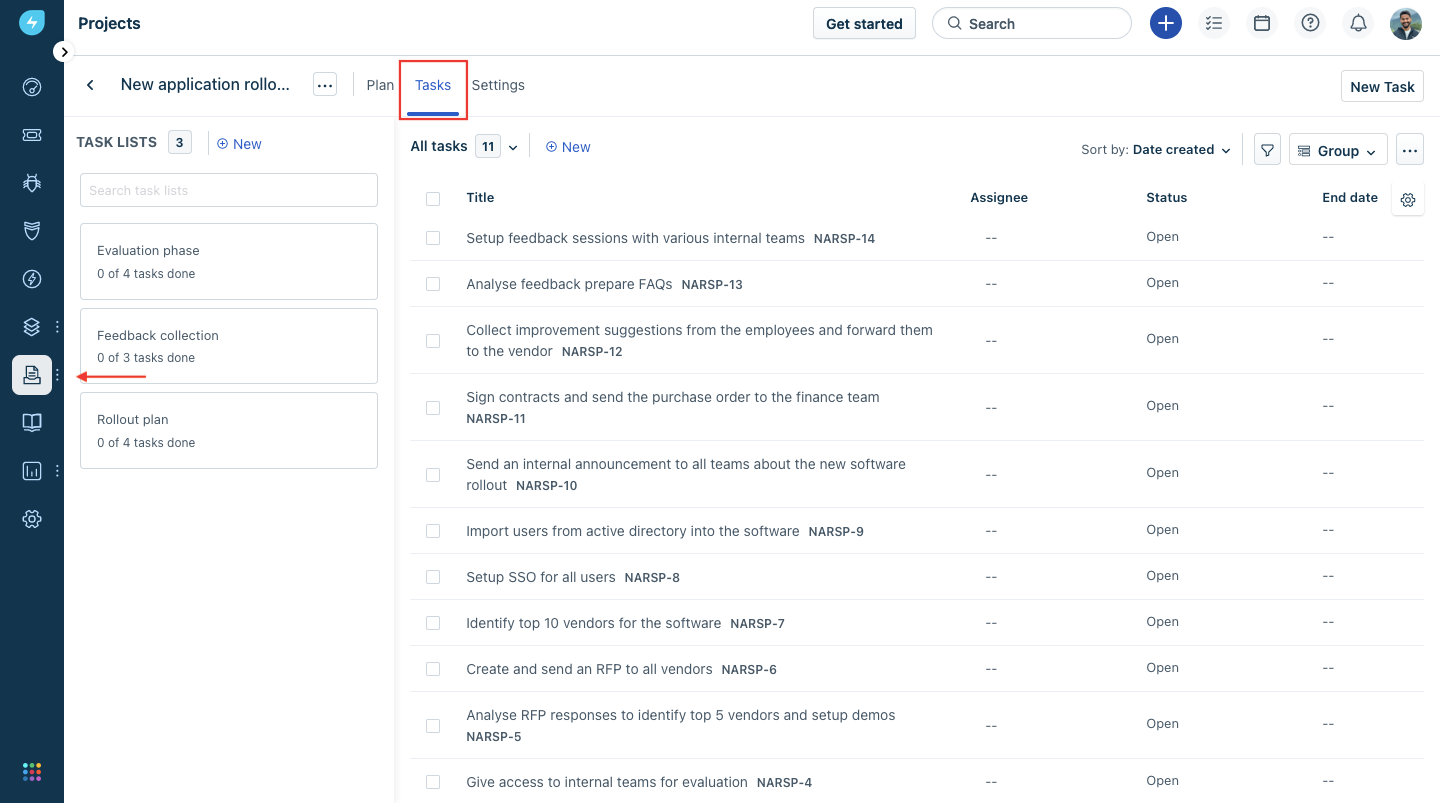
Step 1: Please navigate to the Project -> Choose the Project Name -> Tasks
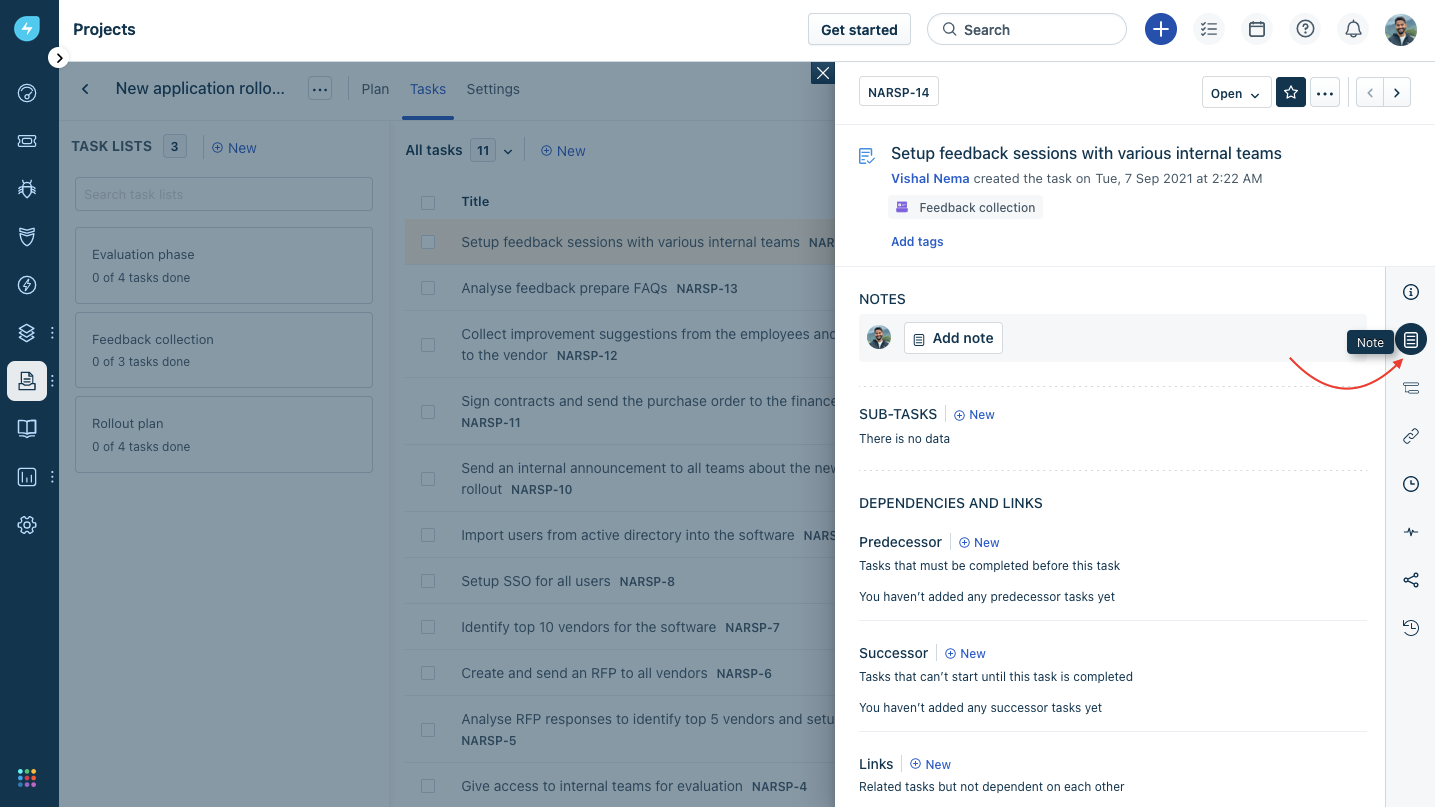
Step 2: Pick the task you want to collaborate on > Click on “Note”
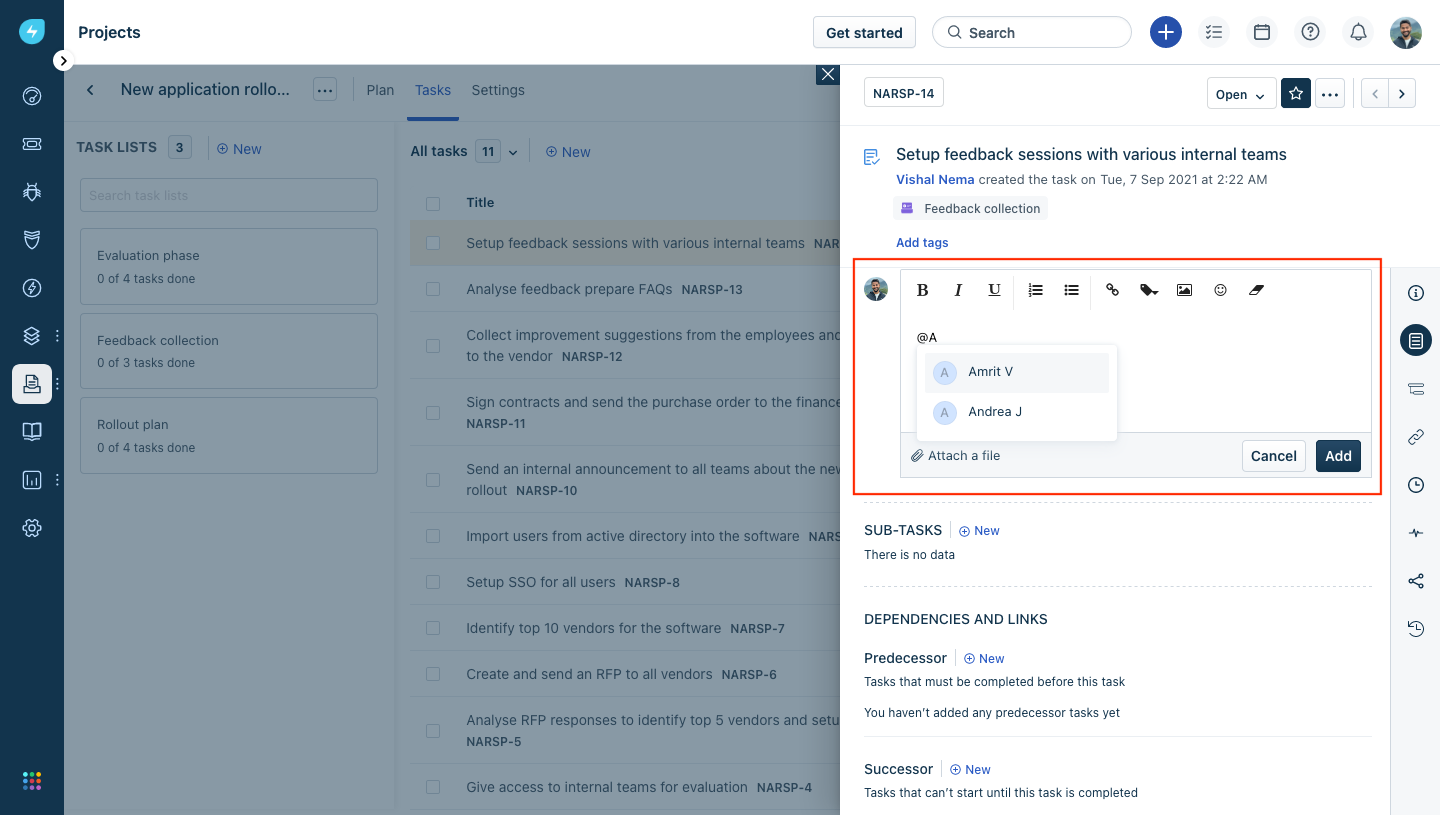
Step 3: Click on “Add Note” -> Type @ and then start typing the name of the person that you want to connect with.
If your organization is using Slack as a mode of communication you can try getting started with the contextual collaboration via Slack. More details here
Was this article helpful?
That’s Great!
Thank you for your feedback
Sorry! We couldn't be helpful
Thank you for your feedback
Feedback sent
We appreciate your effort and will try to fix the article