The requester location can be filtered out by creating a new custom report from Reports>New reports>drag and drop a 'Chart'>Set metrics as 'Users' and selecting the filter requester location as required. Please refer the below image for setting up a report with filter by Location.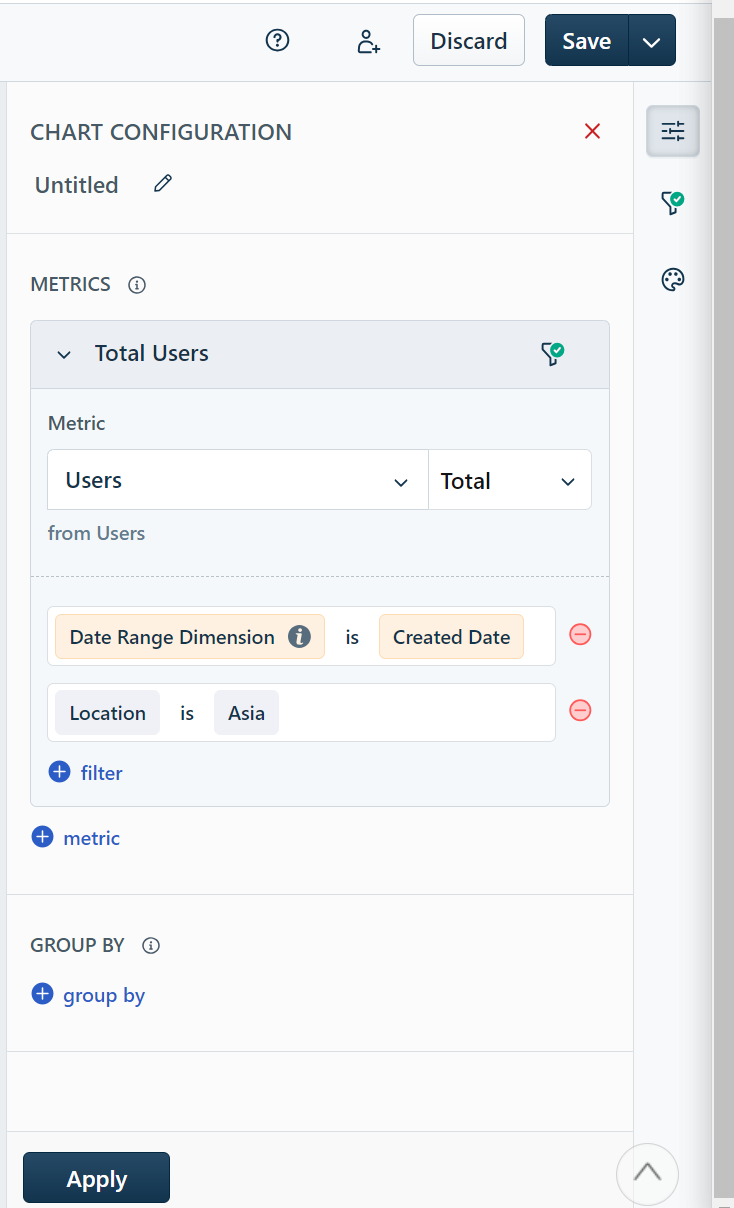
Was this article helpful?
That’s Great!
Thank you for your feedback
Sorry! We couldn't be helpful
Thank you for your feedback
Feedback sent
We appreciate your effort and will try to fix the article