Yes, you can link a change to a project in Freshservice by following these steps:
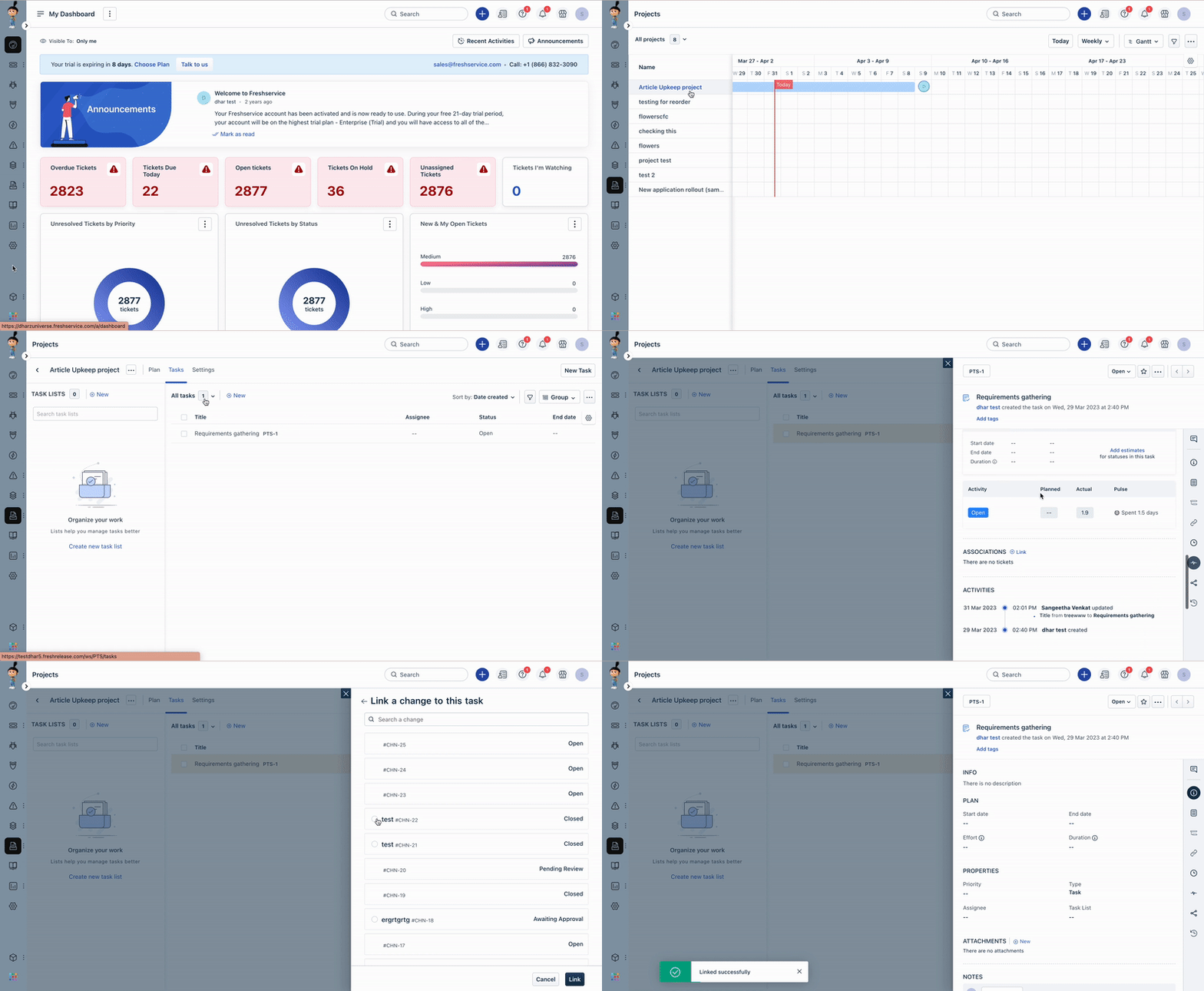
- Navigate the Projects icon and select Projects.
- Click on the Project and select the Task tab.
- Click on the Task you wish to associate a change.
- Scroll down the task properties to the Associations section.
- Click on the Link option and select the Existing Change option.
- Select the required change from the list and click Link to complete the process.
Was this article helpful?
That’s Great!
Thank you for your feedback
Sorry! We couldn't be helpful
Thank you for your feedback
Feedback sent
We appreciate your effort and will try to fix the article