You can add members to a CAB group by following the steps below.
- Navigate to Admin > User Management > CAB.
- Click on the CAB Group you want to add members to.
- Click on the Add Members option to search for the CAB members you want to add.
- Click Update to save the changes.
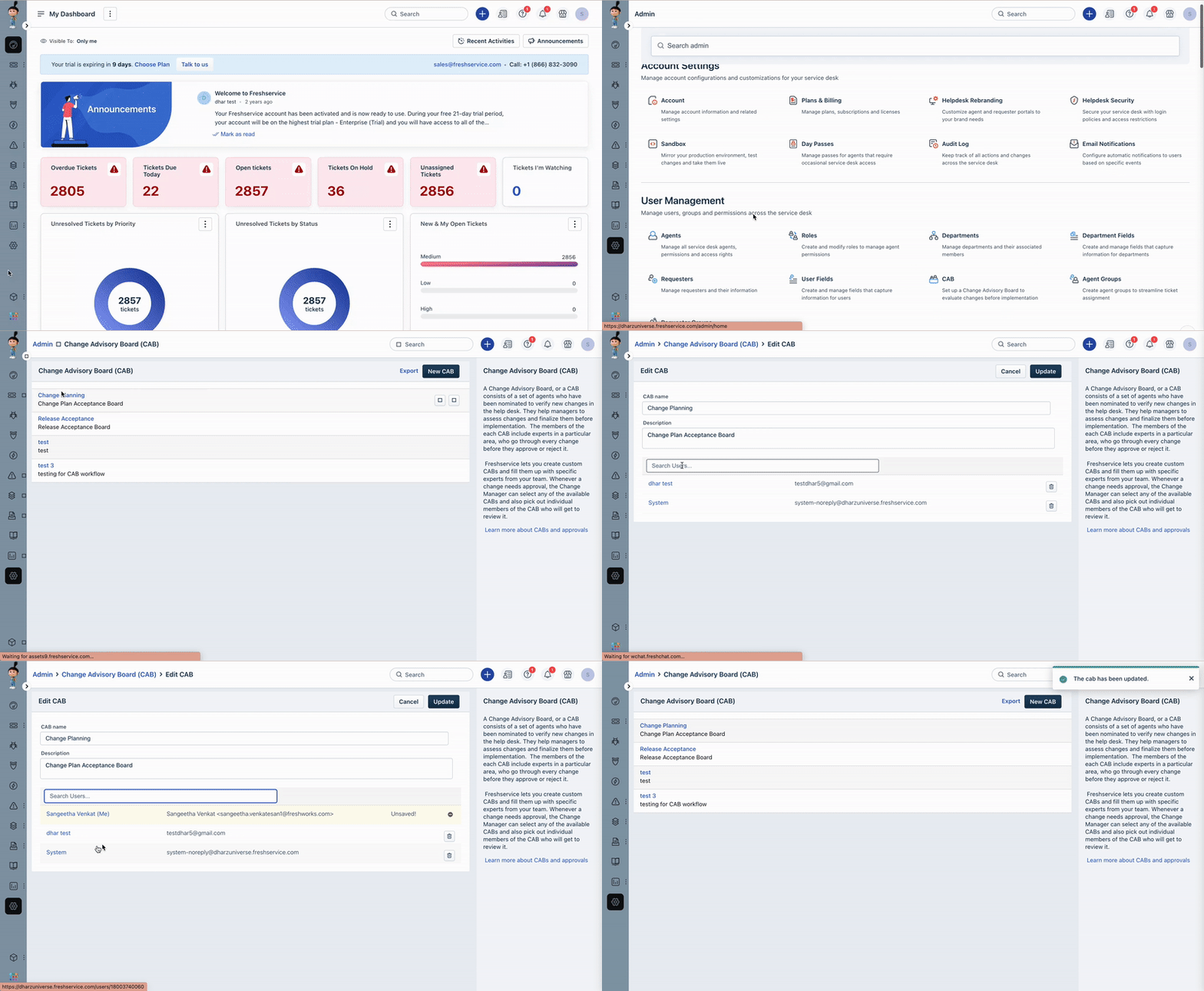
The selected CAB members will now be added to the CAB group and receive notifications for CAB meetings and requests assigned to the group.
Was this article helpful?
That’s Great!
Thank you for your feedback
Sorry! We couldn't be helpful
Thank you for your feedback
Feedback sent
We appreciate your effort and will try to fix the article