As a member of the Change Advisory Board (CAB) in Freshservice, you receive approval requests for various changes that you must approve or reject. Your decision contributes to the overall CAB approval or rejection status, which the Change Manager considers when making the final change approval.
To approve changes as a member of the CAB:
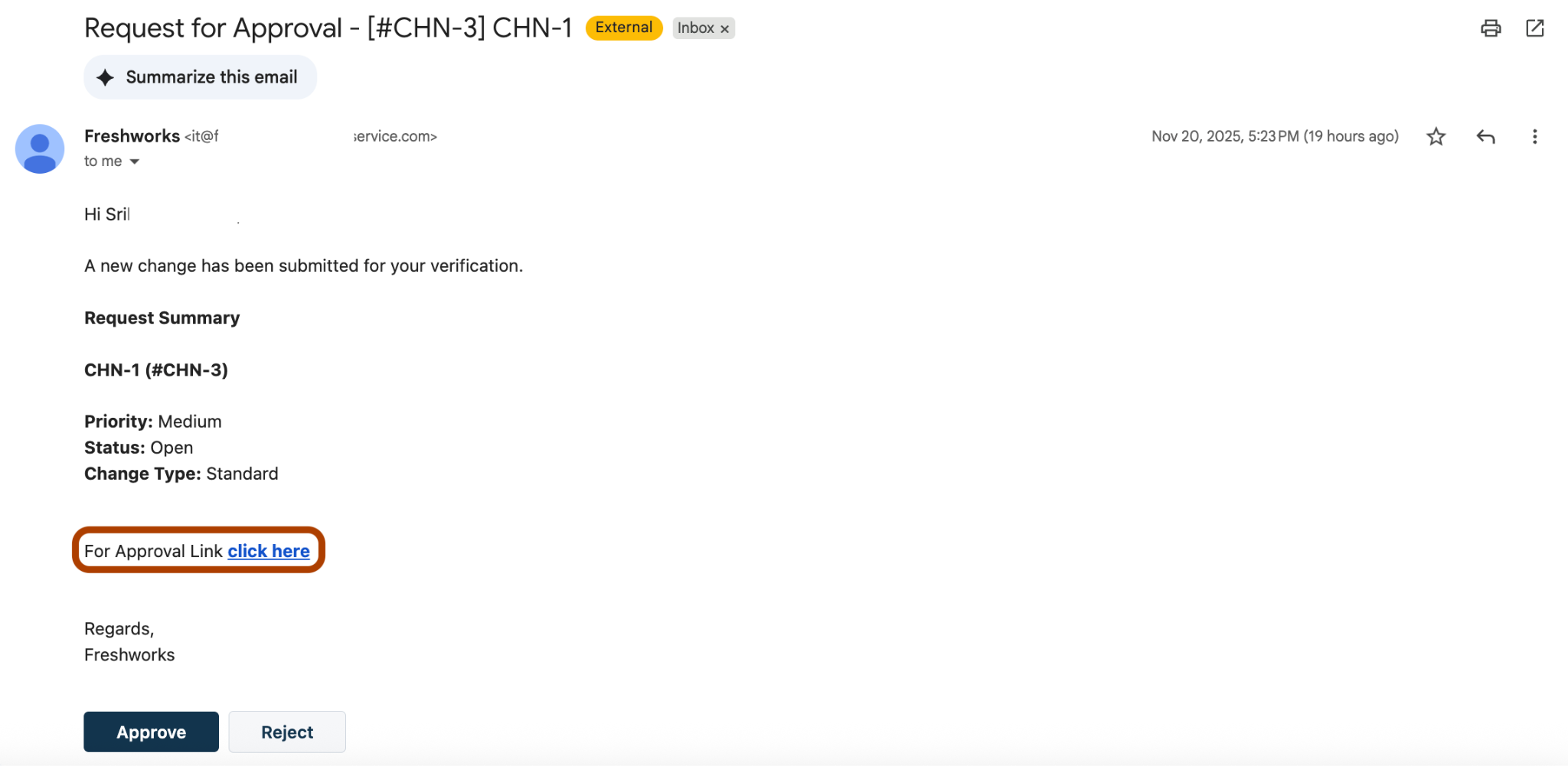
Go to your email inbox linked with your Freshservice account.
Click the link provided in the relevant email to open the Change details page in Freshservice.
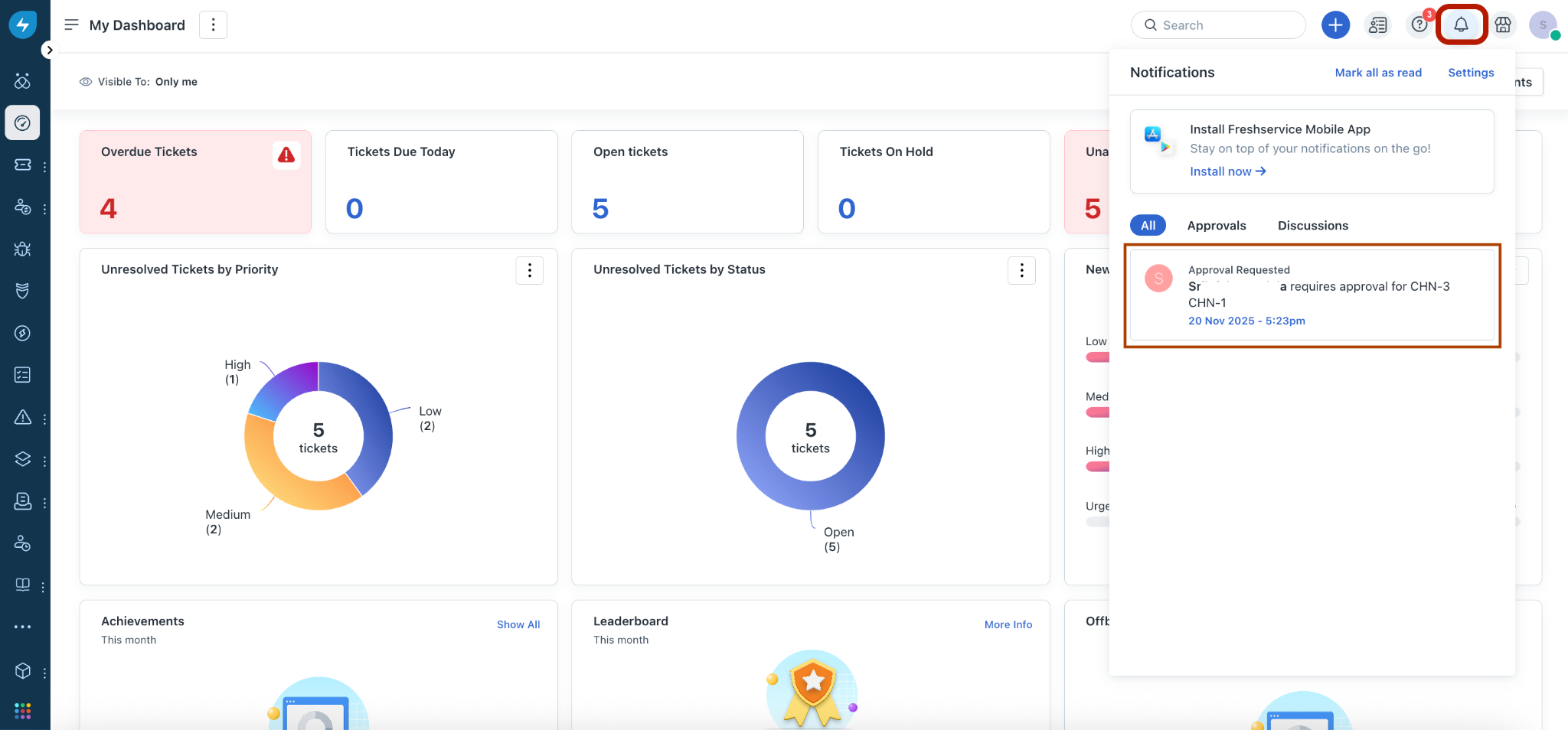
Or, click the Notifications icon at the top right corner (in Freshservice), and click the relevant notification to open the Change details page.
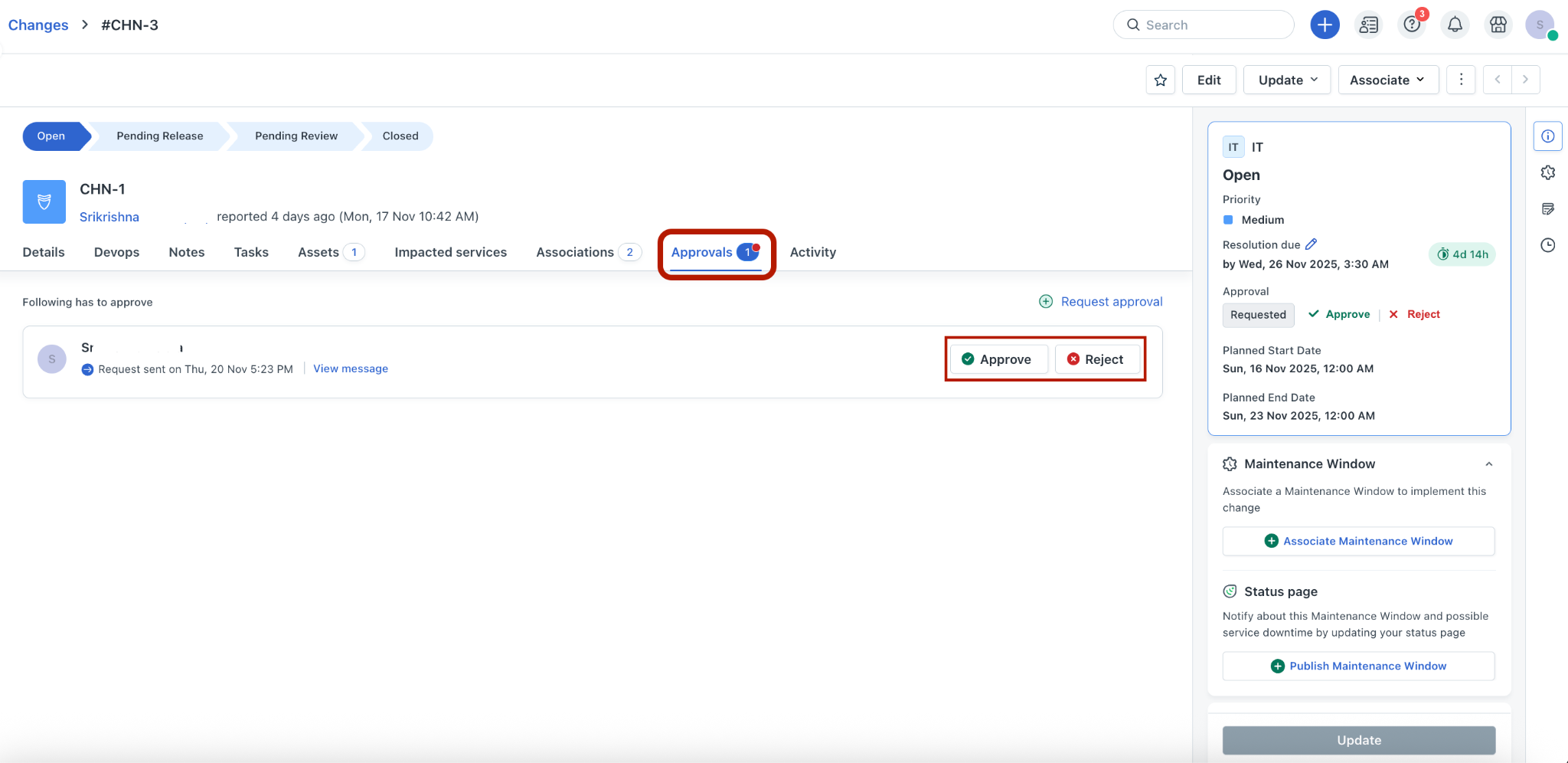
Go to the Approvals tab, and Approve or Reject the change.
Note: In case of any queries on approval or rejection of the change, you can also add comments in the Notes tab.
Was this article helpful?
That’s Great!
Thank you for your feedback
Sorry! We couldn't be helpful
Thank you for your feedback
Feedback sent
We appreciate your effort and will try to fix the article